
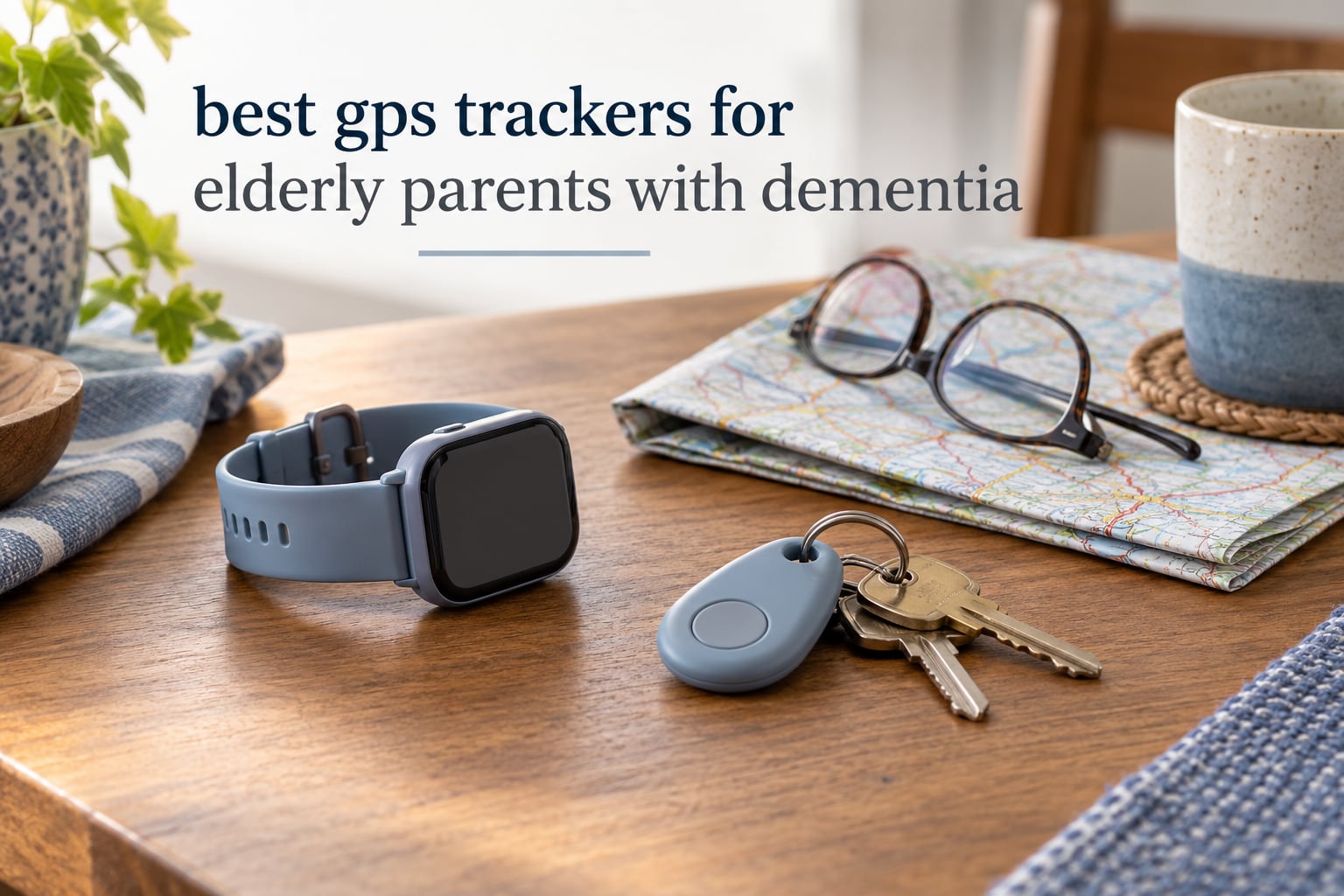
About six in ten people living with dementia will wander at least once, and roughly half of those who wander cannot be found safely within a day. That single statistic is why so many families end up searching for the best gps trackers for elderly parents with dementia. A tracker does not stop a person from walking out the door. It cuts the minutes between the moment they leave and the moment someone knows where to look.
I run this site as a caregiver coach, not a retailer. Nothing on this page is my own product, and nothing here is sponsored. We read the spec sheets, the manuals and thousands of owner reviews so you do not have to, then tell you plainly which devices earn their place on the wall and which ones quietly stop working at 2am. If you want a broader look at gear that supports aging parents at home, our guides to gifts for aging parents and gifts for elderly parents cover the everyday items that pair well with a tracker.
Below are ten GPS trackers and medical alert wearables built for wandering, elopement and response-time problems, ranked and explained in plain language. I also cover the three questions that decide the purchase: can they take it off, will anyone actually charge it, and what happens in the first fifteen minutes after an alert fires.
Table of Contents
Top 3 GPS Trackers for Dementia (2026)

PAJ 4G GPS Tracker
- Real-time GPS with no distance limit
- Geofence safe-zone alarms in the free app
- 41 g pocket-sized tracker with a 5-day battery

SecuLife Medical Alert Pendant
- Alerts go straight to family with no call center
- Auto-answer two-way voice and remote listen-in
- IP67 waterproof with adjustable fall detection

Medical Guardian MGMini
- 24/7 professional monitoring with two-way speaker
- Wears as a necklace or belt clip
- 3 days per charge with a 4-hour recharge
These three cover the most common situations. The PAJ is the pure location tracker, the SecuLife pendant is the family-alert alert device, and the MGMini is the one with a professional monitoring center behind it.
Best GPS Trackers for Elderly Parents With Dementia (October 2026)
The table below is the fastest way to narrow the field. Every row lists what the device actually does, not what the marketing page implies.
| Product | Specifications | Action |
|---|---|---|
| PAJ 4G GPS Tracker for Kids and Seniors |
|
Check Latest Price |
| SecuLife Medical Alert Pendant |
|
Check Latest Price |
| Medical Guardian MGMini |
|
Check Latest Price |
 Smart Med Alert Cellular Smart Watch Smart Med Alert Cellular Smart Watch |
|
Check Latest Price |
 Smart Med Alert Cellular Necklace Smart Med Alert Cellular Necklace |
|
Check Latest Price |
 SecuLife Medical Alert Smartband SecuLife Medical Alert Smartband |
|
Check Latest Price |
 Home and Wellness Stride Alert Watch Home and Wellness Stride Alert Watch |
|
Check Latest Price |
 ADT On-The-Go Mobile Alert Bracelet ADT On-The-Go Mobile Alert Bracelet |
|
Check Latest Price |
 Family First Alert Medical Alert Pendant Family First Alert Medical Alert Pendant |
|
Check Latest Price |
 Tack GPS Plus Care Bundle Tack GPS Plus Care Bundle |
|
Check Latest Price |
1. PAJ 4G GPS Tracker – Best Overall GPS Tracker for Dementia Care
PAJ 4G GPS Tracker for Kids & Seniors with Real-Time Location Alerts
41 g pocket tracker
Real-time GPS, no distance limit
About 5-day battery
Geofence safe zones
4.0 from 603 reviews
Pros
- Widest review base in this group at 603 ratings
- Small enough for a trouser pocket at 41 g
- Geofence alarms set free in the app
- Low battery warning so a caregiver can prompt a charge
- 365 days of track memory
Cons
- Subscription required for the tracking service to run
- About 5 days of battery means charging every few days
- No two-way voice between caregiver and wearer
The PAJ is the tracker we recommend first for a parent at an early or middle stage of dementia who is still walking around the neighborhood. It does one job, location, and it does it with real-time GPS and no distance limit, so the map updates whether your parent is across the street or three states away.
What stands out in the reviews is how unremarkable the device looks. At 41 g and 2.09 by 0.67 by 2.09 inches, it is small enough to sit in a coat pocket or a belt pouch without pulling attention, which matters more than any spec sheet when the person wearing it has started questioning new objects. Owners also single out the geofence alarms as genuinely configurable inside the free companion app rather than locked behind a paid tier.
The five-day battery is the honest catch. This is not a device you set up and forget, and the low battery alarm exists precisely because someone else has to ask about it. That is why the charging routine below matters more with this tracker than with most.
Two details from the technical sheet are worth knowing before you commit. The tracker ships with a SIM card already in the box and a USB cable, so activation does not require a trip to a phone shop, and the manufacturer lists a four-year warranty alongside lifetime device replacement and round-the-clock multilingual support.
The 603 ratings and 4.0 average make this the most tested tracker we reviewed, with 61 percent of owners handing out five stars. Reviewers report dependable live location and geofence alerts that fire as intended. The recurring gripes are the two you would expect from a subscription device: the plan is mandatory, and the battery window is short.
Who the PAJ tracker suits
It suits a parent who lives independently, still walks out for the shops, and has enough insight to leave something in a pocket without noticing it. It also suits long-distance caregivers, because the location history runs back a full year and the app works from any phone with the pairing.
Where the PAJ falls short
It falls short for a parent in the later stages who removes objects from their body, since there is no locking clasp here. It also cannot be your only device if you want a parent to reach you in an emergency, because there is no two-way voice and no SOS button to speak to.
2. SecuLife Medical Alert Pendant – Best for Alerts That Skip the Call Center
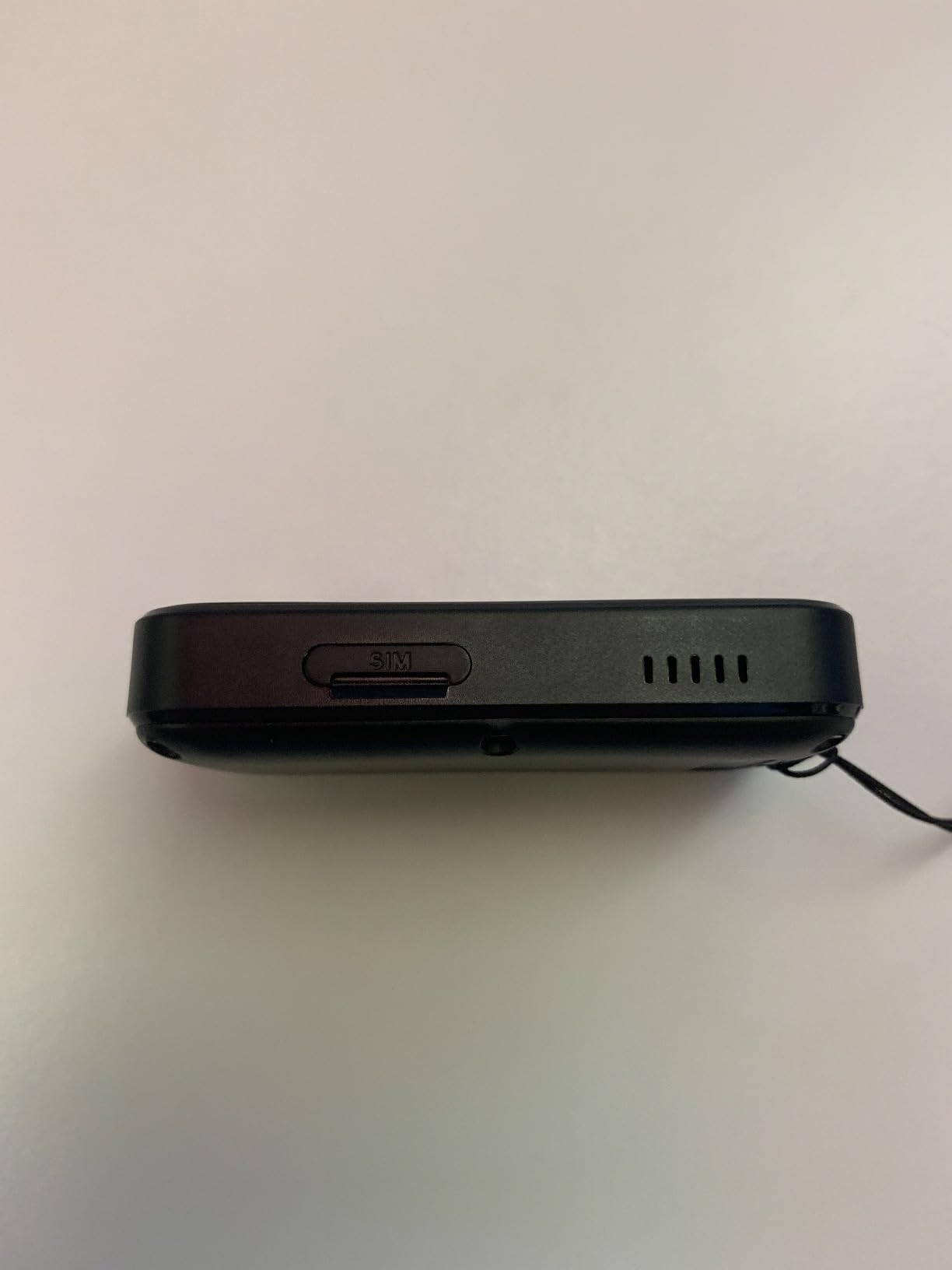
SecuLife Medical Alert Pendant for Seniors, Alerts Go Direct to Family, No Call Center, Auto Fall Detection, GPS Tracking, 2-Way Calling, Water Resistant Necklace
SOS to up to three family contacts
Hands-free auto-answer voice
Adjustable fall detection
IP67 waterproof
3.9 from 268 reviews
Pros
- Alerts text and call family directly with no call center in the loop
- Display shows time
- battery and signal for self-checking
- Hands-free auto-answer means no button press needed
- Remote listen-in to hear what is happening
- IP67 so it can be worn in the shower
- Magnetic charger is simple for a caregiver
Cons
- Fall detection can be over-sensitive even at its lowest setting
- Neck cord is a simple loop rather than a working clasp
- Some units needed support-line activation instead of the portal
- A share of reviewers reported fall notifications eventually stopped
The defining feature of this pendant is the alert chain. When the SOS button goes down, your phone rings and texts rather than a monitoring desk, which means you decide who responds instead of waiting for an operator to triage the call.
Two-way voice and the remote listen-in function are what separate it from a basic GPS tag. A pre-approved family member can call the pendant and talk hands-free without the wearer pressing anything, and the same app opens a listen-in channel so a hard-of-hearing parent can be heard rather than asked to hold a button.
The small display is a genuinely useful design choice for a person with memory loss. Time, battery level and signal strength are visible at a glance, so your parent can self-check the device instead of asking you whether it is working.
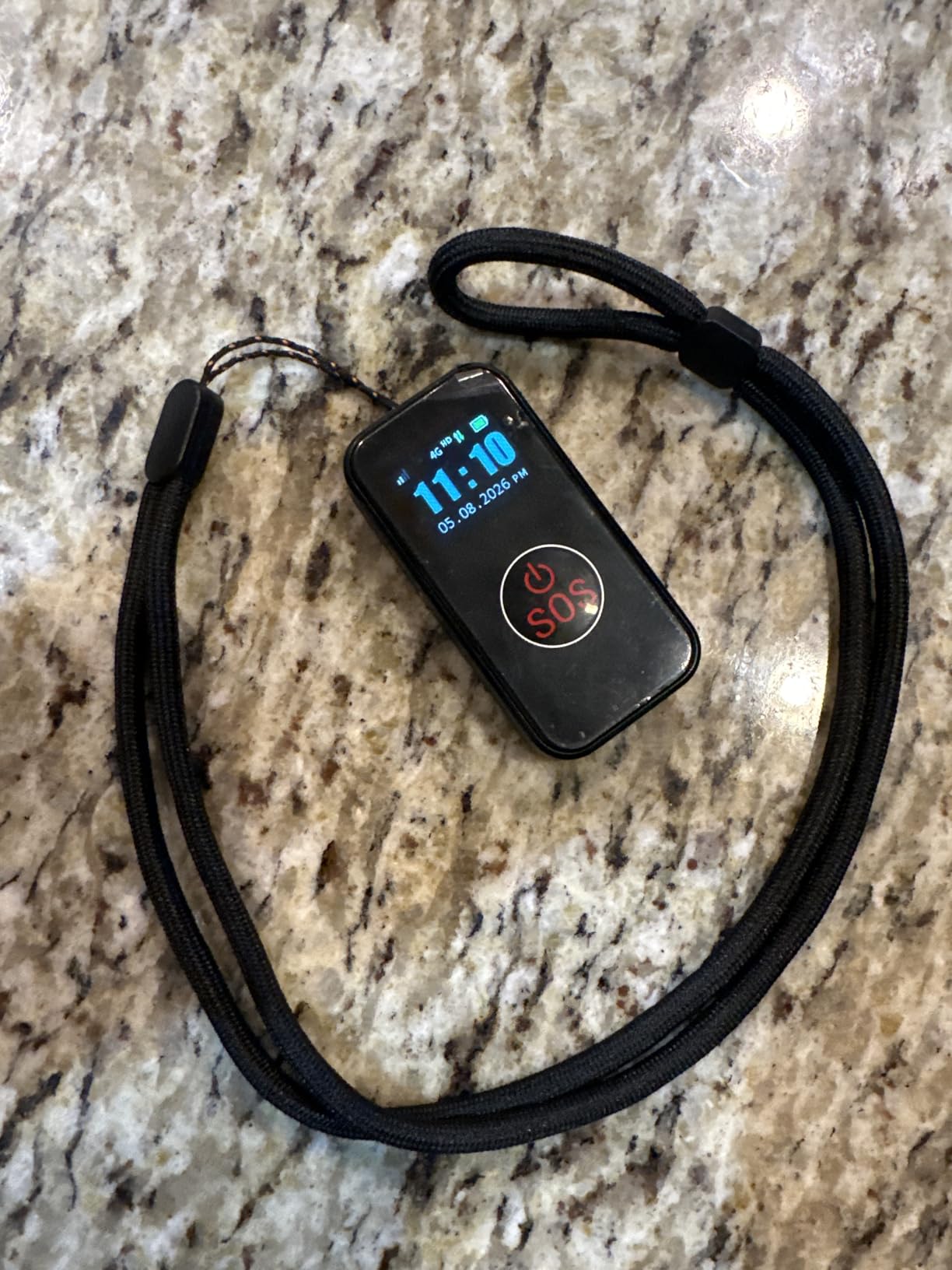
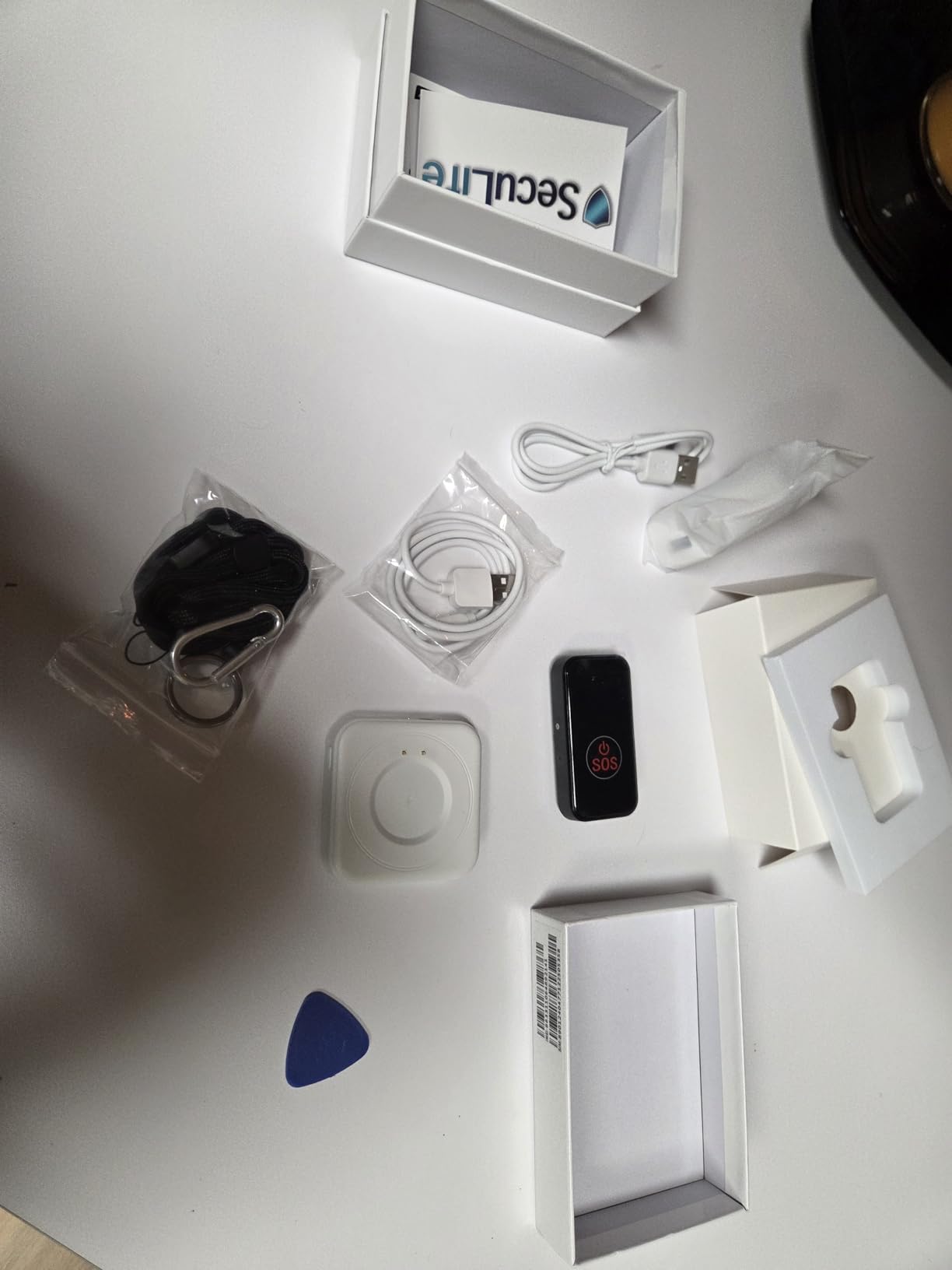
Battery life is listed at about five days on the 1000 mAh cell, with up to six days at a 24-hour tracking interval. The box includes a charging cable, SIM card and manual, and the subscription covers unlimited fall alerts, live tracking and speakerphone minutes.
Reviewers consistently praise the loud speaker volume for wearers with hearing loss, which is a detail most spec sheet ignore. Real-time GPS comes with custom safe-zone geofences and a year of location history, so you get both live position and a record to review after a difficult week.
Who the SecuLife pendant suits
It suits families who want to handle alerts themselves rather than rely on a monitoring service, and parents who will shower or wash regularly since the IP67 rating takes that worry away. It also works well for a caregiver who is not confident managing several app accounts at once.
Where the SecuLife pendant falls short
Fall detection is the weak point. Owners report it triggering on a slip off a bed or sofa even at the lowest sensitivity, which is exactly the kind of false alarm that trains a family to ignore notifications. The loop-style neck cord also means an alert-device wearer can slide it over their head and hand it to a stranger.
3. Medical Guardian MGMini – Best for Professional 24/7 Monitoring
Medical Guardian MGMini Medical Alert Device for Seniors | Silver
24/7 monitoring center
Two-way press-to-talk speaker
Necklace, lanyard or belt clip
3 days per charge
3.9 from 298 reviews
Pros
- Connects to US-based 24/7 monitoring operators
- Three ways to wear it with lanyard and belt clip included
- 3 days per charge with a fast 4-hour recharge
- Hourly location updates and step counting in the portal
- Free first month of monitoring to try before committing
Cons
- Not a true outdoor GPS tracker
- shows a last-known point outside
- Highest monthly monitoring fee in this group
- Optional fall detection costs extra per month
- Cancellation requires repeated calls and a signed form
If you want someone else to answer the phone at 3am, this is the category leader. The emergency button reaches trained monitoring operators in the United States, who can talk to your parent through the speaker and dispatch EMS or your family if nobody answers.
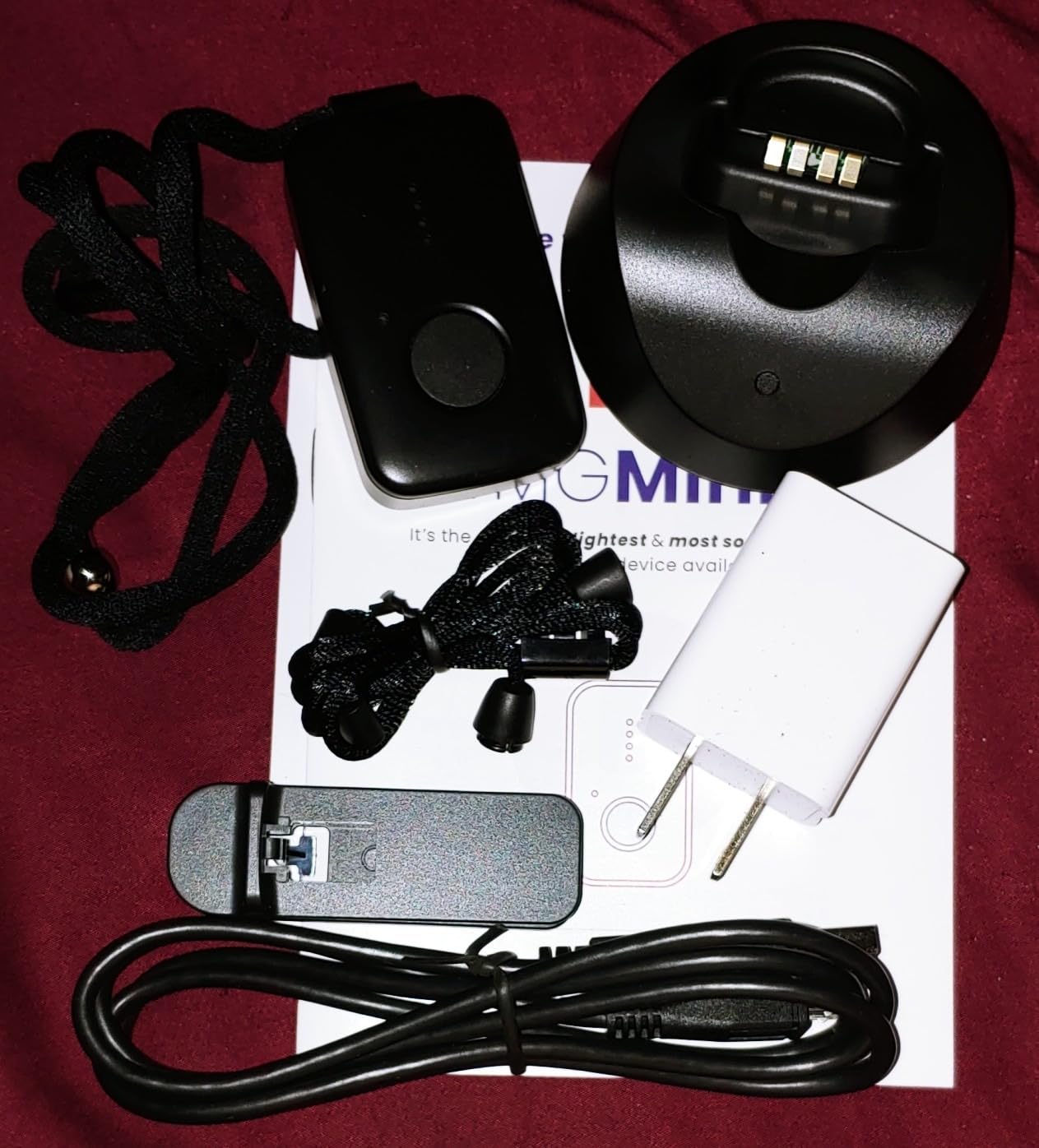
The form factor is the underrated feature. It ships with a lanyard and a belt clip, so the same device works as a necklace indoors and clips to clothing on a walk, and the silver, black, pearl and rose gold finishes make it look far less clinical than a hospital alarm.
Battery performance is solid for this class: three days per charge with a full recharge in about four hours, so an evening routine of putting it on the cradle covers the night.
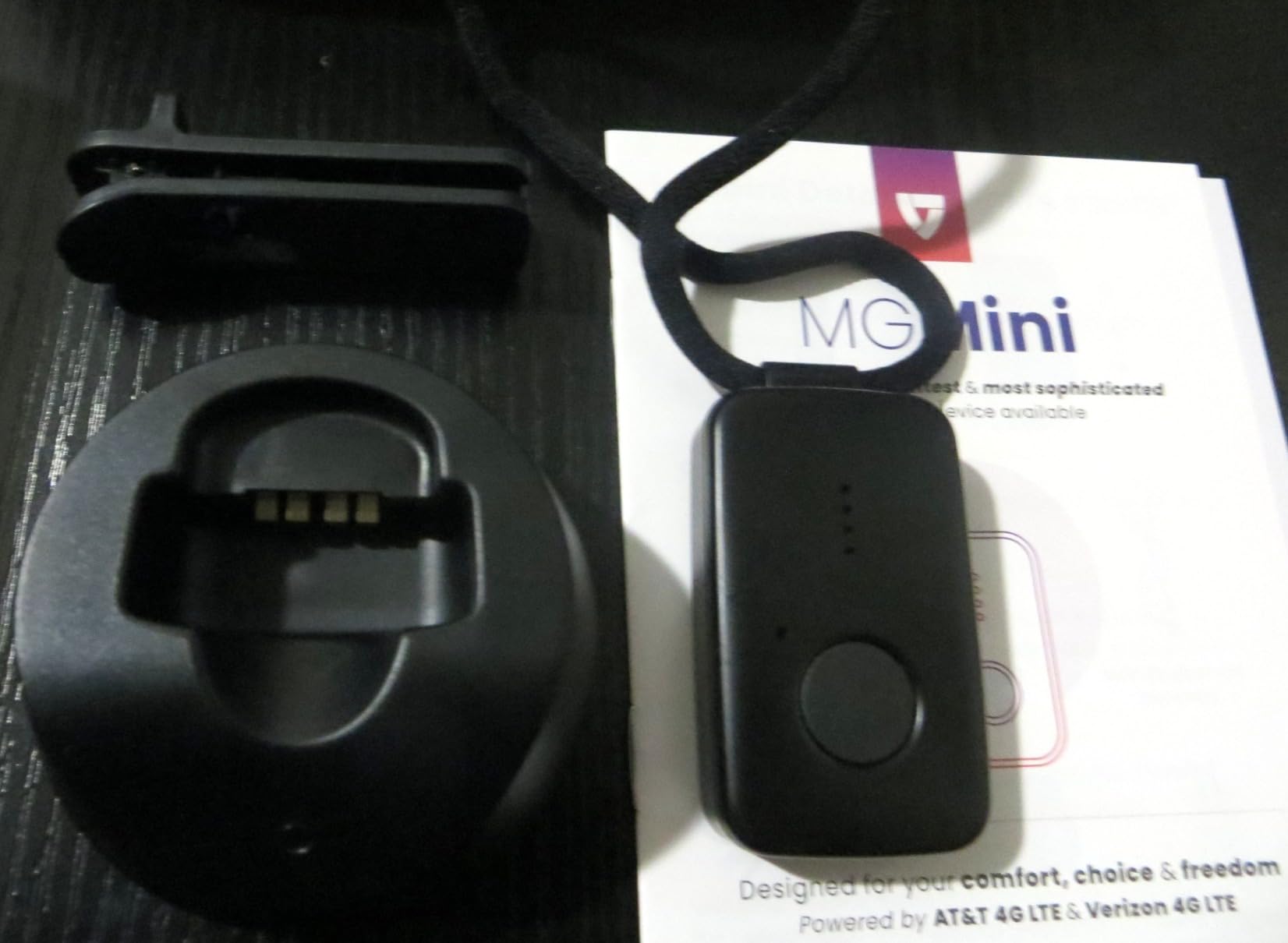
I want to be direct about the limitation, because it is the one that matters most for wandering. This is a medical alert system that reports location, not a dedicated GPS tracker. Position comes from Wi-Fi and Bluetooth, and outdoors it generally shows the last known point rather than a live one.
If your parent wanders out of a house and keeps walking, that gap is exactly the moment you need accuracy. For a parent at home with fall risk, or one who presses a button and stays put, the trade is reasonable. For a walker, pair it with a real GPS tracker rather than choosing one over the other.
Who the MGMini suits
It suits parents whose main risk is falling at home and who will actually press a button, and families who want a professional monitoring desk rather than themselves taking 2am calls. It is also a reasonable second layer beside a tracker with live GPS.
Where the MGMini falls short
It falls short as a wandering solution because the location is not live outdoors. Budget for the ongoing monitoring fee as a permanent cost, note that fall detection is an add-on, and check the cancellation process before you buy, because owners report it takes repeated calls and paperwork.
4. Smart Med Alert Cellular Smart Watch – Best for a Parent Who Refuses a Pendant
Cellular Medical Alert Smart Watch with Emergency Button for Elderly, 24/7 Monitoring, Fall Detection for Seniors, Water-Resistant Watch with 2-Way Communication, GPS Tracking, Heart Rate Monitor
Watch form, 2-inch touchscreen
GPS, heart rate, blood oxygen
24/7 monitoring with two-way voice
IP67, 3-day battery
3.7 from 122 reviews
Pros
- Looks like a normal watch
- not a medical alarm
- Fall detection reached a responder during a real hip-breaking fall
- Heart rate and blood oxygen built in
- Replaceable silicone band
- Lifetime device replacement while subscribed
Cons
- About 24 percent of ratings are one star
- No on-wrist battery indicator so charging is nightly
- SOS button near the wrist gets triggered by accident
- Cancellation follow-ups reported as inconsistent
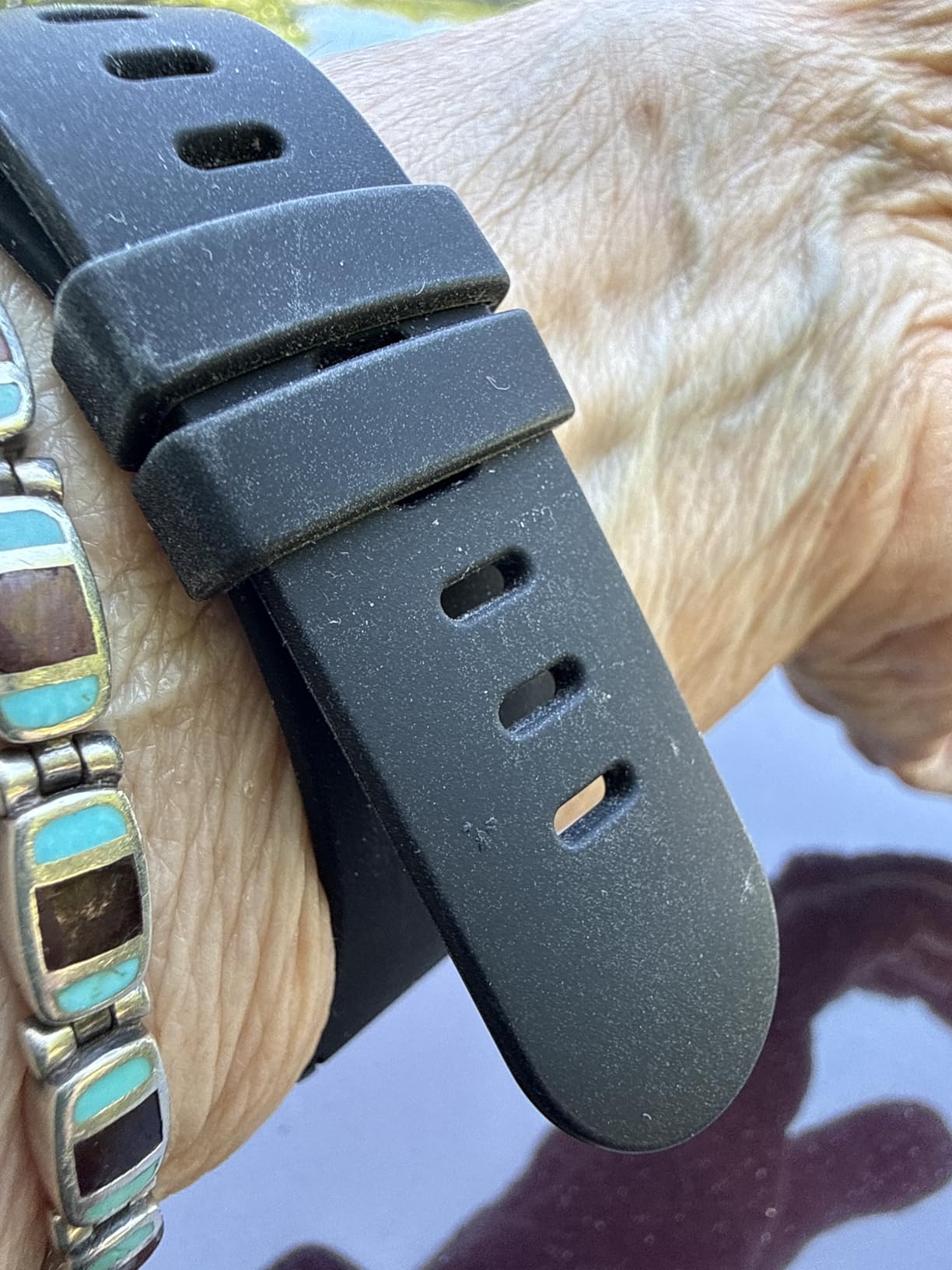
When a parent refuses to wear a pendant, the object itself is often the problem. A watch solves that. The 2-inch rectangular touchscreen reads the time clearly, sits at 1.25 inches wide, and reads as jewelry or a fitness tracker rather than a device placed on someone by a child.
One review told a specific and useful story: fall detection produced an alert and reached a responder during a fall that broke a hip. That is the outcome families are buying when they choose a watch with automatic detection rather than a location tag alone.
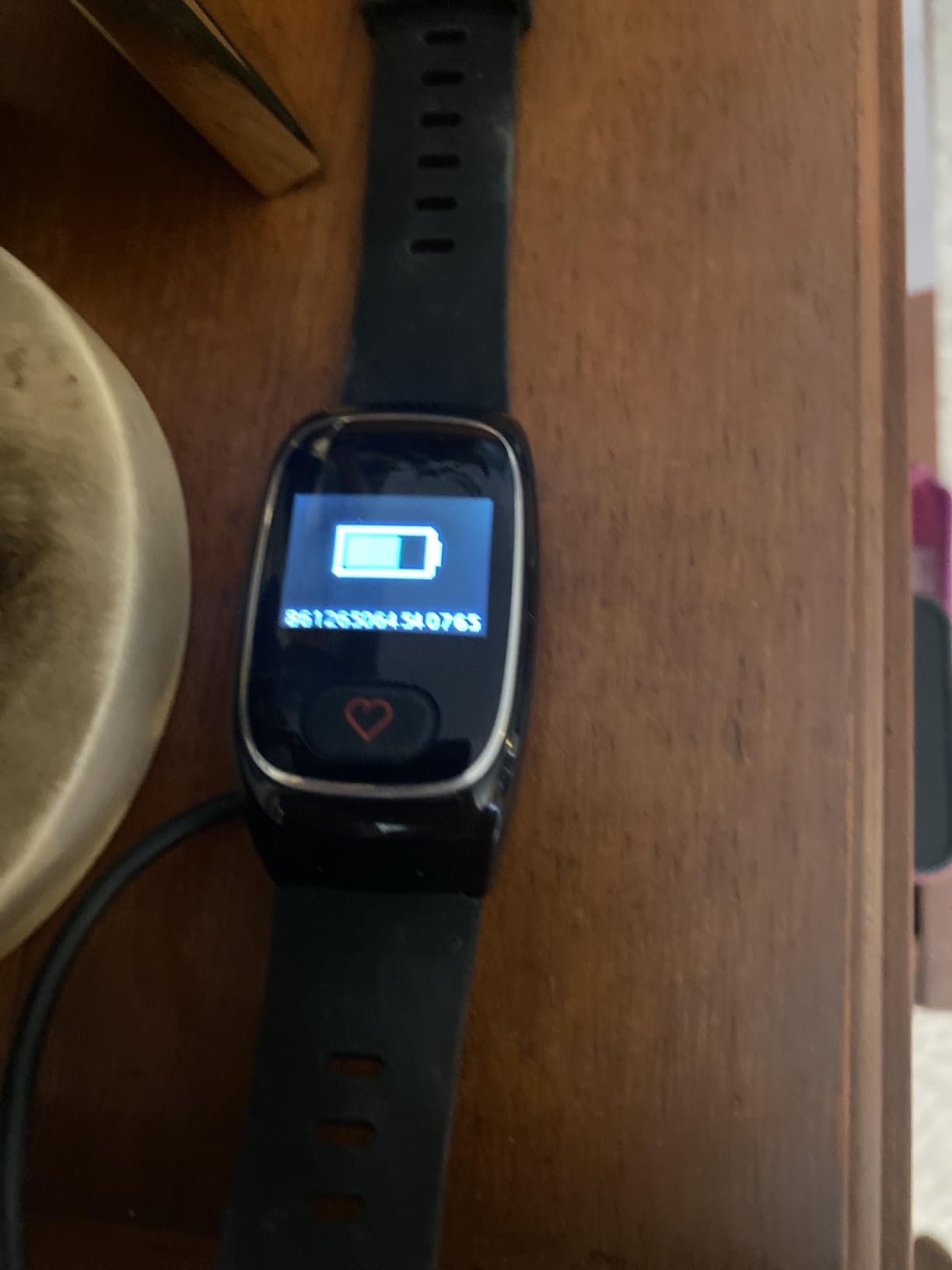
Sensor coverage goes beyond location. Heart rate and blood oxygen are measured, the case is resin with a replaceable silicone band, and a nano SIM handles the 4G cellular connection. The box includes magnetic charging.
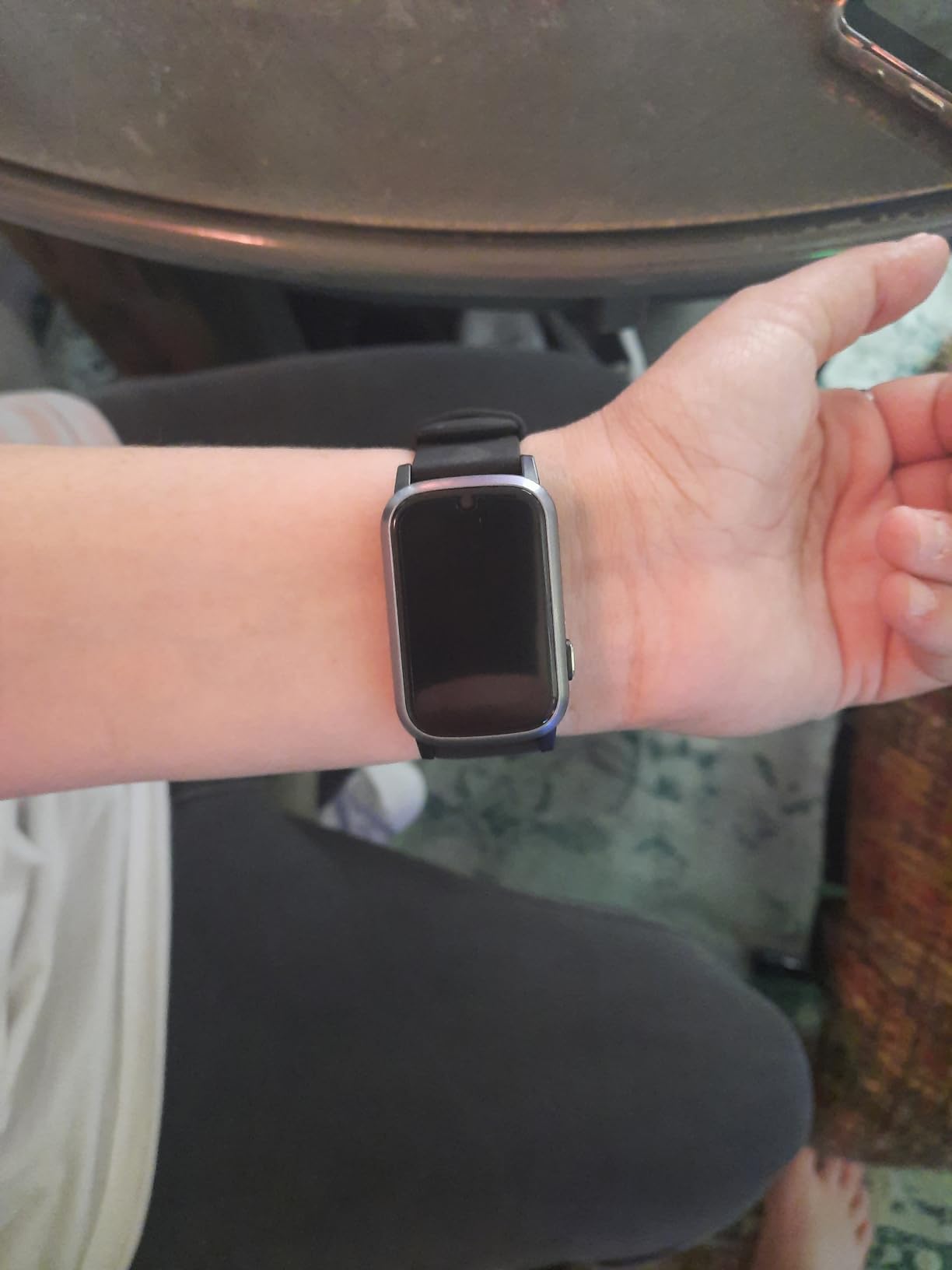
The battery is the part I would plan around. It is listed at about three days with a two-hour charge time, but there is no battery indicator on the wrist, so nobody can tell whether the watch is about to die until it stops responding. That makes a fixed charging spot essential rather than optional.
The 3.7 average is held down by durability complaints, with roughly a quarter of ratings at one star and several owners reporting units that would not power back on. One shared account can monitor up to three compatible devices, which is handy when siblings want visibility.
Who the Smart Med Alert watch suits
It suits a parent in an early stage who is proud of a watch and has resisted a medical alarm necklace. The form also helps with hearing or dexterity issues, since a touchscreen button is easier to hit than a small pendant press.
Where the watch falls short
The no-battery-indicator issue means someone else has to manage charging every single day. The SOS button sits close to the wrist and elderly users triggered it repeatedly by accident, and the reliability complaints are real enough that a backup device matters.
5. Smart Med Alert Cellular Necklace – Best for Direct Operator Support
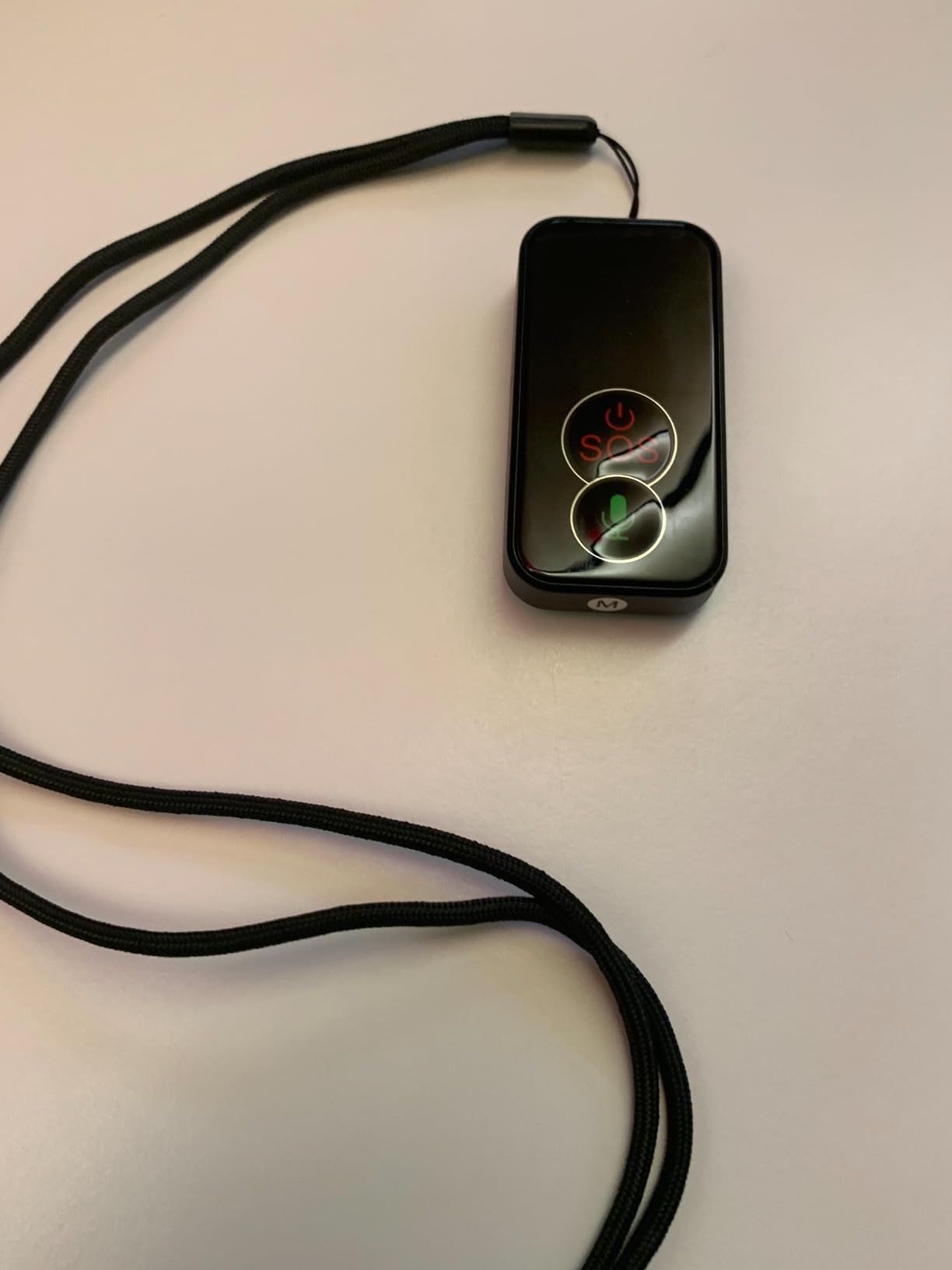
Smart Med Alert Cellular Medical Alert Necklace with Emergency Button for Elderly, 24/7 Monitoring, Fall Detection for Seniors, Water-Resistant, Wearable Pendant with 2-Way Communication, GPS Tracking
Press-and-hold SOS to a live operator
Two-way voice on the pendant
Automatic fall alerts with location
Water resistant, magnetic charging
3.7 from 197 reviews
Pros
- Talk to a live monitoring professional without needing a phone nearby
- Fall alerts carry location even if SOS is never pressed
- Magnetic charging and woven lanyard make daily use simple
- Operator can work through a preset emergency contact list
- App is optional rather than required
Cons
- Lowest rating among the well-reviewed necklaces at 3.7
- Fall detection does not catch every fall
- Location accuracy varies indoors and with signal
- Water resistant but cannot be submerged
This pendant is built around one clear idea: the wearer talks to a person, not an app. Pressing and holding the button for roughly three to five seconds reaches a live monitoring professional through the built-in speaker and microphone.
The detail I like most is what happens when there is no answer. If the wearer cannot respond, the monitoring center works through a pre-set emergency contact list, so the plan still runs if your parent is unresponsive rather than merely quiet.
Automatic fall detection sends an alert with location attached even when nobody pressed SOS, which covers the fall your parent will never tell you about.
The optional Med Alert Pro app shows location, battery percentage and GPS accuracy, with Find Me and Refresh Location controls, and one account can monitor up to three compatible devices. That app is a genuine advantage for a family sharing coverage across siblings.
What the spec sheet does not promise is waterproofing. It is water resistant and must not be submerged, so a bath versus a shower decision matters for a device that spends most of its life near water.
Who the Smart Med Alert necklace suits
It suits a parent who will use a lanyard, does not mind a visible pendant, and lives somewhere the operator team serves well. It also suits families spread across locations who want one account covering several people.
Where the necklace falls short
Owners report fall detection missing some falls, and indoor location accuracy varies with coverage and signal. At 3.7 across 197 ratings it is the least certain of the reviewed necklaces, so treat it as a monitoring device rather than a tracker.
6. SecuLife Medical Alert Smartband – Best Wrist-Based Alerts with Geofencing
Seculife Medical Alert Smartband for Seniors — Alerts Go Direct to Family, No Call Center | Auto Fall Detection, GPS Tracking, Heart Rate Monitor, 2-Way Calling, SOS Button, Waterproof (White)
Family-direct alerts, no call center
Hands-free auto-answer
Geofence zones built for dementia care
2-inch screen with heart rate
3.8 from 112 reviews
Pros
- Alerts reach pre-selected family contacts with no call center
- Hands-free auto-answer needs no button press
- Geofence zones marketed specifically for dementia and Alzheimer's care
- Heart rate monitoring in a wrist form
- Secupro app described as intuitive for caregivers
Cons
- Battery listed at only about one day
- the shortest in this group
- Monthly plan starts higher than the SecuLife pendant
- About 21 percent one-star ratings on setup and reliability
- Touchscreen is hard for limited dexterity
This is the SecuLife pendant in wrist form, and it carries the same family-direct alert chain rather than routing through a call center. A three-second SOS press calls your pre-selected emergency contacts, and hands-free auto-answer lets an approved contact speak to the wearer without any button press.
What sets it apart inside this category is the geofence framing. Safe-zone alerts are marketed explicitly for elderly care involving dementia and Alzheimer’s, paired with real-time GPS and a year of location history so you can review a pattern of movements rather than just react to the latest one.
The 2-inch square display also carries heart rate measurement, which gives family a health signal alongside the safety signal. IP67 splash resistance keeps rain and washing hands manageable.
The battery line is the hard fact here: 1 day average life on a 680 mAh lithium polymer cell. That is the shortest in this group by a wide margin, and it converts directly into a daily task for someone other than your parent.
The 3.8 average from 112 ratings reflects that trade-off. Owners like the alert routing and auto-answer, while roughly a fifth of ratings sit at one star over activation friction and day-to-day reliability. A one-year manufacturer limited warranty is included.
Who the SecuLife smartband suits
It suits a parent who prefers a watch to a necklace and whose family wants alerts handled by relatives rather than a monitoring desk. The wrist form is also less likely to be removed by someone who thinks it is jewelry.
Where the smartband falls short
A one-day battery means a nightly charging habit or a device that dies when you need it, and the touchscreen is unforgiving for hands with limited dexterity. Budget for the higher monthly plan this model sits on.
7. Home and Wellness Stride Alert Watch – Best for a Watch That Looks Ordinary
Home & WELLNESS co. SENIOR SAFETY SYSTEM Stride Medical Alert Watch- Assistance Device with GPS Tracking, Emergency Call Button, AT&T Network, Stylish Design
Styled as a regular wristwatch
GPS on the AT&T 4G network
Heart rate and step count
Water resistant to 30 meters
4.3 from 31 reviews
Pros
- Designed to pass as an ordinary watch
- Push of the alert button reaches a live representative day or night
- No long-term contract
- GPS
- heart rate and step count in one device
- Runs on the nationwide AT&T network
Cons
- Battery life listed at only 24 hours
- Smallest review base here at 31 ratings
- Monthly service sits between budget trackers and premium brands
- AT&T-only cellular limits where it will work
The whole design premise of the Stride is that nobody should be able to tell it is a medical device. The round case, digital display and plastic band with a tang buckle read as a normal wristwatch, and 73 percent of the 31 ratings are five stars with owners calling out exactly that.
Pressing the alert button connects the wearer to a live support representative any hour of the day or night, and GPS location runs on the nationwide AT&T 4G network with an eSIM inside.
There is no long-term contract, which matters more than it sounds. Families can stop service without the multi-call cancellation process some other brands require.
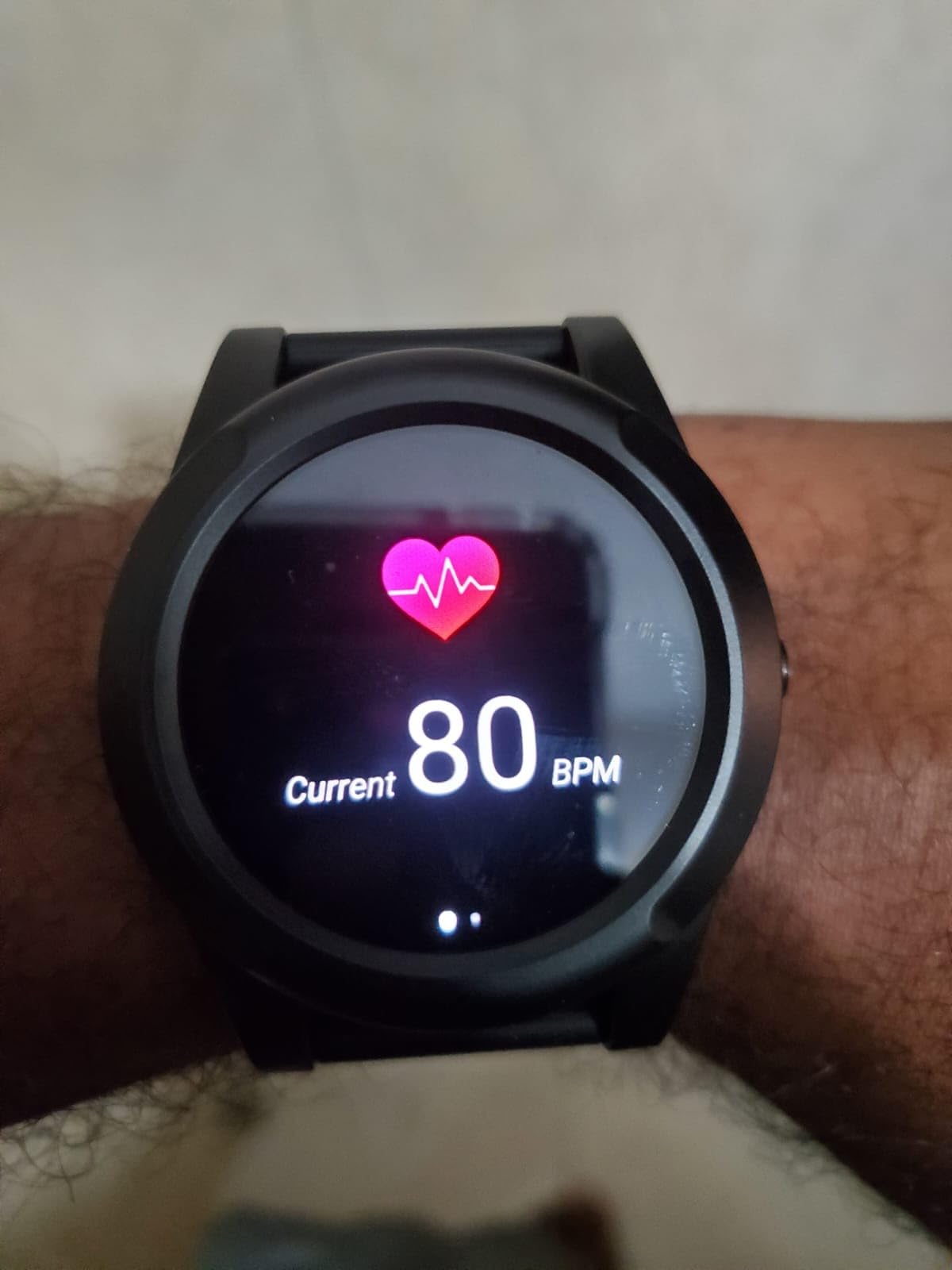
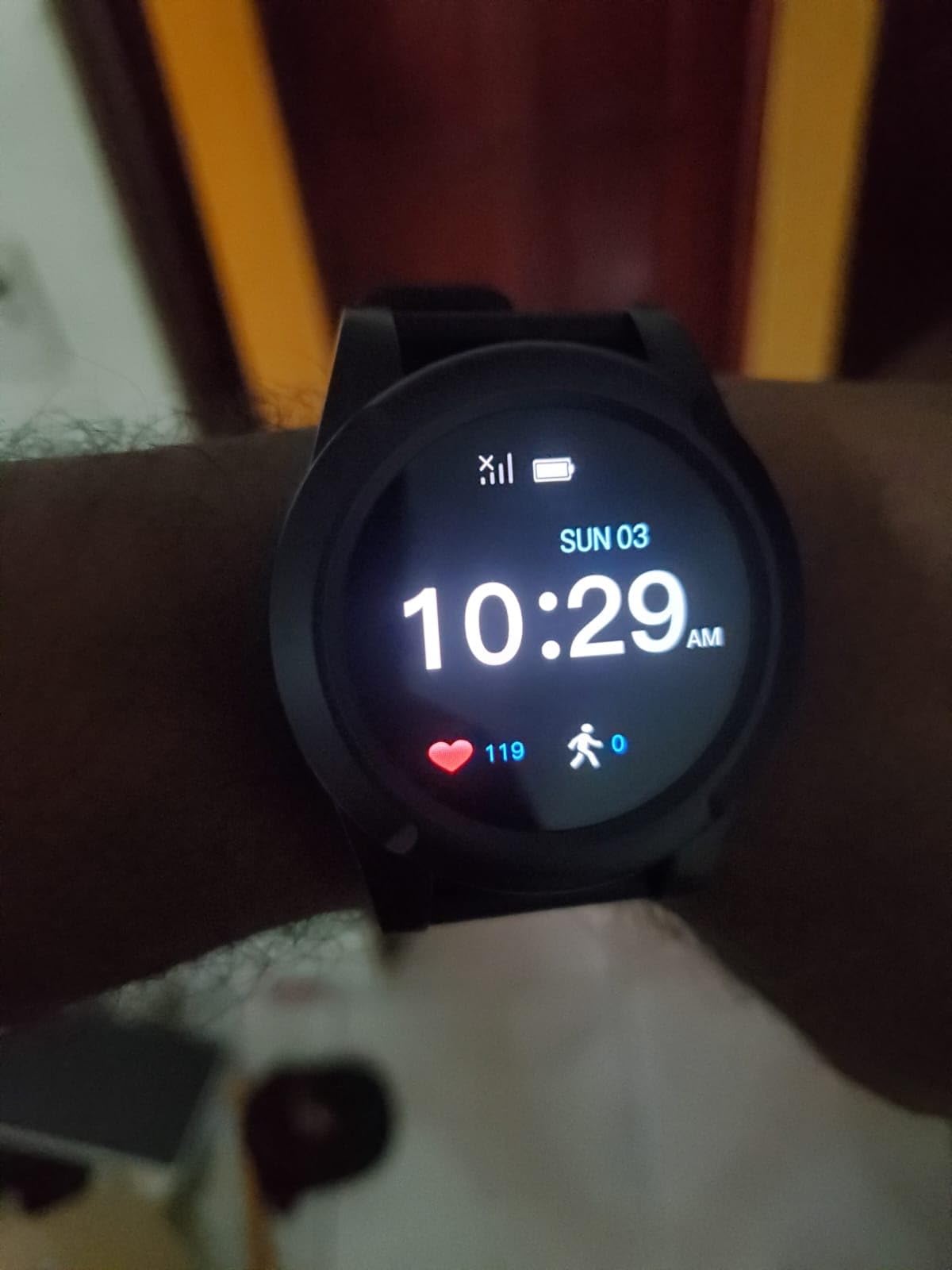
The honest weakness is battery life at 24 hours on a 580 mAh cell, with a one-hour charge time. That is daily charging, every day, and a charge left to chance will eventually be the reason an alert does not fire.
With 31 ratings, the long-term reliability picture is simply not yet proven. Reviewers report quick connection to a live agent and ordinary-watch styling as the consistent positives.
Who the Stride watch suits
It suits a parent who would wear a watch happily but refuses an alarm device, and families who want a simple live-human button with no contract lock-in. It is a good fit for fall risk at home rather than active wandering.
Where the Stride falls short
Twenty-four-hour battery life makes it a nightly-charge device, and the AT&T-only cellular design means it will not serve a parent who travels outside the United States or on another network. The evidence base is also thin.
8. ADT On-The-Go Mobile Alert Bracelet – Best for Brand-Backed Monitoring
ADT On-The-Go Mobile Medical Alert System for Seniors, White Wristband
ADT 24/7 professional monitoring
LTE and GPS with microphone
Waterproof wristband
1.76 ounces, 40-hour battery
4.0 from 23 ratings
Pros
- Backed by ADT's long-running US-based monitoring operation
- Single button push sends an immediate call for help
- Waterproof wristband suits an active wearer
- Agents give step-by-step updates to contacts including from first responders
- Flexible monthly plans with no long-term contract
Cons
- Requires a separate call to ADT to cancel even after the device is returned
- Some units reported working only about 1000 feet from the home base
- Wristband-only buyers may be steered toward a pendant
- Just 23 ratings
- the thinnest evidence base here
When a family wants a monitoring desk with a long institutional history behind it, ADT is the name most people already trust. The bracelet carries a single button, a built-in microphone, and LTE plus GPS, with 24/7 professional monitoring from a US-based center.
The service is the product as much as the hardware. Trained agents give step-by-step updates to emergency contacts, and those updates continue from first responders, so the family is not left guessing what happened after an ambulance arrives.
At 1.76 ounces and 0.63 by 1.75 by 2.75 inches it is light on the wrist, and the waterproof band suits someone who is still out and about rather than sitting in a chair.
Battery life is listed at 40 hours, which beats several devices in this roundup on charge anxiety, and the box includes a cradle charger along with the bracelet.
The 4.0 average comes from a small sample of 23 ratings with about half at five stars. Negatives cluster on administration: owners report needing a separate call to cancel monitoring even after returning the unit, which led to unexpected charges, and some report a working range of roughly 1000 feet from the home base.
Who the ADT bracelet suits
It suits families who feel safer with an established monitoring operator than with a relative being rung at 2am, and parents who keep a bracelet on without complaint. The 40-hour battery suits households where charging slips.
Where the bracelet falls short
Activation happens by phone, and so does cancellation, which is the single most common complaint. The reported home-base range limit matters if your parent travels away from where the base sits, and the review base is the smallest in this group.
9. Family First Alert Medical Alert Pendant – Best for Dual-Carrier Coverage
Medical Alert System for Seniors – Advanced Mini Device with Automatic Fall Detection, 24/7 Monitoring, GPS Tracking, Emergency Alert Pendant Necklace, SOS Button, Caregiver App, Waterproof | Black
Verizon and AT&T 4G LTE coverage
Two-way voice with live dispatchers
Optional fall detection add-on
Water-resistant pendant
4.5 from 19 ratings
Pros
- Highest average rating we reviewed at 4.5 with 80 percent five stars
- Dual-network coverage across Verizon and AT&T
- Fall detection available as a lower-cost monthly add-on
- Two-way voice with live dispatchers plus a caregiver app
- Charging dock
- two lanyards and a belt clip included
Cons
- Smallest review base at just 19 ratings
- Daily charging recommended even though a charge lasts up to 5 days
- Activation needs a QR code scan or a call to the provider
- Only a 30-day warranty
The practical argument for this pendant is network coverage. It runs on both Verizon and AT&T 4G LTE, which matters when a single carrier has a dead spot near your parent’s usual route and that dead spot is exactly where a wander alert needs to work.
Alerts reach trained operators with two-way voice through the device, and a caregiver mobile app gives family members visibility without waiting for a call.
Water resistance means the shower is a non-issue, and the box is unusually complete for this category: charging dock, two lanyards, a belt clip and the charging brick.
On paper it is the best-rated device we looked at, with a 4.5 average and 80 percent of ratings at five stars. The fall-detection add-on is also priced well below the equivalent feature on the bigger medical alert brands.
Read those numbers carefully, though. Nineteen ratings is a very small sample, and the warranty is 30 days. A charge lasts up to five days but the manufacturer still recommends charging daily, and activation requires scanning a QR code or calling the provider.
Who the Family First Alert pendant suits
It suits a parent whose area has patchy single-carrier coverage, and families who want fall detection as a lower-cost option rather than a standard feature. It is also a good first alert device for a parent who is starting to need help.
Where the pendant falls short
Nineteen ratings tell you almost nothing about how the device performs after two years, and the 30-day warranty is the shortest in this group. Daily charging is recommended in practice, which puts it in the same routine category as the other pendants.
10. Tack GPS Plus Care Bundle – Best Budget Tracker for Anti-Removal Wear
Tack GPS Plus Care Bundle with Lowest Monthly fee + 30 Days Battery Life. Fall Detection + SOS Alerts + Indoor Elevation Finder – for Kids, Elderly, Autism, Alzheimer, Dementia, Special Needs
Up to 30 days battery per charge
Locking-pin pouch resists removal
Indoor elevation finder
30 g, geofence and SOS alerts
3.4 from 28 ratings
Pros
- Longest battery claim in this group at up to 30 days per charge
- Lowest monthly fee in this group
- Anti-removal pouch with locking pins and a breakaway lanyard suited to dementia patients
- Indoor elevation finder shows which floor the wearer is on
- Works indoors and outdoors without a nearby phone
Cons
- Lowest rating we reviewed at 3.4 with about 22 percent one-star reviews
- No Wi-Fi positioning so rural fixes can be inaccurate
- Updates arrive in fixed one or five minute increments
- Multiple reports of SOS mode doing nothing and late geofence alerts
- Battery life reported dropping to 2-3 days after a few months
The Tack bundle is the only reviewed option built specifically around the removal problem. The fabric pin pouch uses locking pins with a magnetic key, and the neck lanyard has a breakaway release, so the wearer can be separated from the device in an emergency but cannot simply hand it to someone in a car park.
The indoor elevation finder is the other idea worth borrowing. In a multi-storey building or a large care home it shows which floor the wearer is on, which a flat location pin cannot.
It works on AT&T, T-Mobile and Sprint with roaming across more than 120 countries, and the SIM is pre-installed with 30 free days before plans begin.
The battery claim is the headline number: up to 30 days per charge using AI movement detection, on a 750 mAh cell, at just 30 g and 1.85 by 1.46 by 0.67 inches. If that claim holds, the charging problem that dominates every other review on this page disappears.
Owners tell a more complicated story. Reviewers report battery life falling to two or three days within a few months, location updates arriving in fixed one or five minute intervals rather than truly live, several reports of the SOS mode doing nothing, and geofence alerts arriving hours late.
Who the Tack bundle suits
It suits a family whose main worry is a parent who takes devices off, and anyone who cannot realistically charge a device every few days. The pouch and breakaway lanyard are the parts other brands only promise in marketing.
Where the Tack bundle falls short
At 3.4 across 28 ratings it is the weakest-reviewed product here, and the complaints are about the functions you would depend on in an emergency. Reports of a non-working SOS mode mean I would not make it the only device for a known wanderer.
How to Choose a GPS Tracker for a Parent With Dementia
Every question below matters less than one variable: will the device be on your parent’s body at the moment they walk out of the house. A tracker in a drawer protects nobody. Rank the criteria by your parent’s stage, not by the spec sheet.
Seven things to check before you buy
1. Removability. This is the first filter. A neck pendant or a lanyard can be pulled off in seconds, while a shoe insole, a locked pouch or a watch on a non-removable strap cannot. If your parent has already hidden a phone or taken off a medical bracelet, skip anything wearable.
2. Live outdoor GPS versus last-known location. Medical alert systems with monitoring centers often resolve position by Wi-Fi and Bluetooth and show a last known point outdoors. Dedicated trackers transmit GPS coordinates continuously. For a walker, only one of those two is useful.
3. Who receives the alert. Family-direct devices text and call your phone. Professional devices route to a monitoring center that then calls you. Family-direct is cheaper and faster; professional is better at 2am when you are asleep.
4. Battery life and charging. Anything under three days creates a daily task. Check for a low-battery alert, and check whether your parent physically can manage the charger. If not, the routine must belong to somebody else.
5. Geofence tuning. Safe zones should cover the house, the garden and the route to the shops, not a 50-meter circle, or you will get nightly false alarms. Wide zones with an alert only on genuine exits are the pattern that reduces alert fatigue.
6. Water rating. IP67 means splash-safe and shower-safe. Water resistant without an IP rating often means no shower at all, which matters enormously for a pendant worn all day.
7. Shared access. Add every sibling and second caregiver to the account before the first alert, not during it. One account covering several devices is common in this category.
Warning signs it is time to start using a tracker
Act earlier than feels necessary. Families report that a tracker introduced before any crisis is accepted far more readily than one added after an incident, which matches everything we know about introducing change to a person with memory loss.
The signs we watch for: a parent who takes a wrong route home from a familiar walk, forgets how to get back from the shops, is found somewhere unaccounted for, or is stopped by a neighbour who did not know where they lived. Any prior wandering attempt is enough reason to start now.
Who actually charges it
This is the operational gap that spoils most setups, and it deserves its own routine. In the middle stage of dementia, your parent cannot own this task, so the charging has to become a household ritual rather than a request.
My routine suggestion: put the device on a charging cradle or a known socket in one fixed spot, at one fixed time, and tie it to something your parent already does. My rounds of sending him a message every night to plug it in made no progress at all.
Two things make charging reliable. First, set the device’s own low-battery alert to a family phone so you are warned before it dies rather than after. Second, make the charger visible and fixed so nobody needs to find it in the dark. If your parent forgets chargers but not watches, a watch with magnetic charging and no battery indicator is a poor fit, and that is why it appears on this list as a caveat rather than a recommendation.
Can you use an Apple AirTag to track someone with dementia?
Yes, as a backup layer, and no, as the primary wandering device. That is the honest answer to the most-searched question in this category.
An AirTag is a Bluetooth tag that joins the Find My network of nearby phones and Apple devices. It has no cellular connection of its own, no SIM, and no way to transmit its position when nobody else is nearby. Caregiver families reach for it because it costs very little and needs no monthly plan, and forum consensus treats it as a sensible low-cost backup for a wallet, a coat or a handbag.
The failure mode is freshness. Location reads from the Find My network can be stale, and an old timestamp is worthless during a search. It cannot make a phone call, cannot be configured as a safe zone that alerts you independently, and cannot tell you that your parent has left the house in real time.
So use it the way most caregivers do: sew one into a coat lining, put one in a wallet, and treat those as recovery aids after an alert rather than as the alert itself. Our roundup of the best sleep trackers for better rest covers the same principle in a different category, where a nightly data point only matters if it reaches a human.
How to talk to your parent about wearing one
Caregivers raise this question constantly and most ranking pages skip it. It is the part families find hardest, and consent is not only a legal question. Even where you have power of attorney for finances or health, tracking someone’s daily movements is a different kind of decision.
Lead with the benefit, not the device. A script that works better than a feature list: I want to be able to help you if you get turned around, so you do not have to worry about being lost, and this helps me get to you faster.
Offer choice rather than instructions, let your parent pick which one, and set it up together rather than presenting it finished. If consent is no longer possible, involve the clinician and check your local authority’s rules, and keep the person informed in whatever way is still available to them. Families who worry about this are not being paranoid; they are thinking clearly about dignity.
The first 15 minutes after a wander alert
Have this written down before you need it, because you will not be thinking clearly in the moment. The following sequence comes from what families report doing well.
1. Confirm the alert and read the timestamp. A location five minutes old and a location five hours old require completely different responses.
2. Call the device before you leave. Two-way voice or auto-answer often produces an answer faster than driving, and a confused parent picked up on a sidewalk is safer than one wandering toward traffic.
3. Send a short text with your own name and a simple instruction: stay where you are, I am coming. Confused people often walk when they are told to wait.
4. If there is no answer within a few minutes, escalate to the police non-emergency line with the last known location and the fact that the person has dementia, and describe the medical condition. People with dementia are often treated as a missing-person case rather than a lost walker.
5. If there is immediate danger, call emergency services first and give the last known location, then tell the family group. Keep the tracker open in someone else’s hands so you do not lose the map.
Do not confront or alarm your parent when you find them. Say something ordinary, and get them somewhere safe first.
Pair the tracker with these home safety tools
A tracker cuts response time; it does not prevent a fall or a night-time exit. Caregivers on r/dementia repeatedly recommend pairing rather than substituting, and we agree.
Door sensors and secondary door bars give you a warning without any app. Bed and chair alarms catch night-time wandering directly, which is when most elopement happens. Low-cost cameras at the door cover the front of the house. A dementia ID bracelet gives anyone who finds your parent a phone number to call, and it is the only layer that works when the tracker is not on the body.
Our guides to gifts for elderly parents and comfort gifts for elderly cover several of these low-tech pieces.
Frequently Asked Questions
What is the best GPS tracker for elderly people with dementia?
For most families the best GPS tracker for elderly people with dementia is a small cellular tracker that cannot be removed, sends live outdoor GPS, and alerts several family members at once. Our top pick sends real-time location with geofence safe-zone alarms and keeps a year of track memory. If your parent presses buttons reliably, add a medical alert device with two-way voice and fall detection as a second layer rather than a replacement.
Can you use an Apple AirTag to track someone with dementia?
Yes as a backup, no as the primary device. An AirTag has no cellular connection, so it can only report a position from the Find My network when a nearby Apple device pings it. The reading can be stale, it cannot alert you to a zone exit by itself, and it cannot call anyone. Put one in a wallet or coat as a recovery aid and use a cellular GPS tracker for the actual alert.
What is the best GPS tracking watch for people with dementia?
For a parent who refuses a pendant, a watch works because it does not look like a medical alarm. Look for a watch with automatic fall detection, two-way voice on the wrist, GPS, and a replaceable band. Watch down two things carefully: whether there is a visible battery indicator, and how often it needs charging, because many require nightly charging.
How accurate are GPS trackers indoors and in rural areas?
Indoors, a cellular tracker estimates position from GPS, Wi-Fi and cell-tower triangulation, so accuracy drops to roughly building level rather than a doorway. Devices with Wi-Fi positioning or an indoor elevation finder do better in multi-storey buildings. Rural and wooded areas are harder still, and trackers without Wi-Fi assist can report a position hundreds of metres off.
Will my parent take the tracker off?
Frequently, yes. Pendant lanyards and wristbands can be removed in seconds and are often handed to strangers. Ask about anti-removal options: a locked pin pouch with a magnetic key, a breakaway lanyard, a shoe insole, or a watch band that cannot be unclasped. A tracker introduced early, before any crisis, is also accepted far more readily than one added later.
What should I do if my parent with dementia wanders?
Confirm the alert and check how fresh the location is, then call or speak to the device before leaving, since auto-answer often produces a reply faster than driving. Send a short text giving your name and asking them to stay put. If there is no quick answer, escalate to the police non-emergency line with the last known location and mention the dementia diagnosis, because that changes how the case is handled.
Do GPS trackers work without a smartphone, and is tracking an adult with dementia legal?
A dedicated tracker needs no phone on the wearer side, only a caregiver phone to receive alerts, which is a main reason families choose them over app-based tracking. Tracking an adult with dementia raises real consent questions. Where your parent can still agree, tell them and get their agreement. Where they cannot, talk to the clinician and check the rules in your area before tracking movements without consent.
Which GPS Tracker Is Right for Your Parent
Route by situation rather than by spec sheet. If your parent walks away from home and removes things from their body, the only category worth considering is one built around anti-removal, and even then treat it as a deterrent rather than a guarantee. If they live alone and mostly need help at home, a monitored pendant with fall detection and two-way voice does the job. If they are still driving or out independently, a live cellular tracker with geofences is the layer that matters.
Our pick of the best gps trackers for elderly parents with dementia starts with the PAJ 4G tracker, because live location and geofence alerts are what shorten the search, and it has the widest review history of anything in this roundup. Add the SecuLife pendant beside it if you want alerts to reach family directly plus auto-answer voice, or the MGMini if you would rather a monitoring center answer the phone. And whatever you choose, put the charging routine and the fifteen-minute alert protocol in place the same day, because both of those decide whether the device helps.
We keep this list updated through 2026 and revise it whenever the product set or the caregiver routines change.