
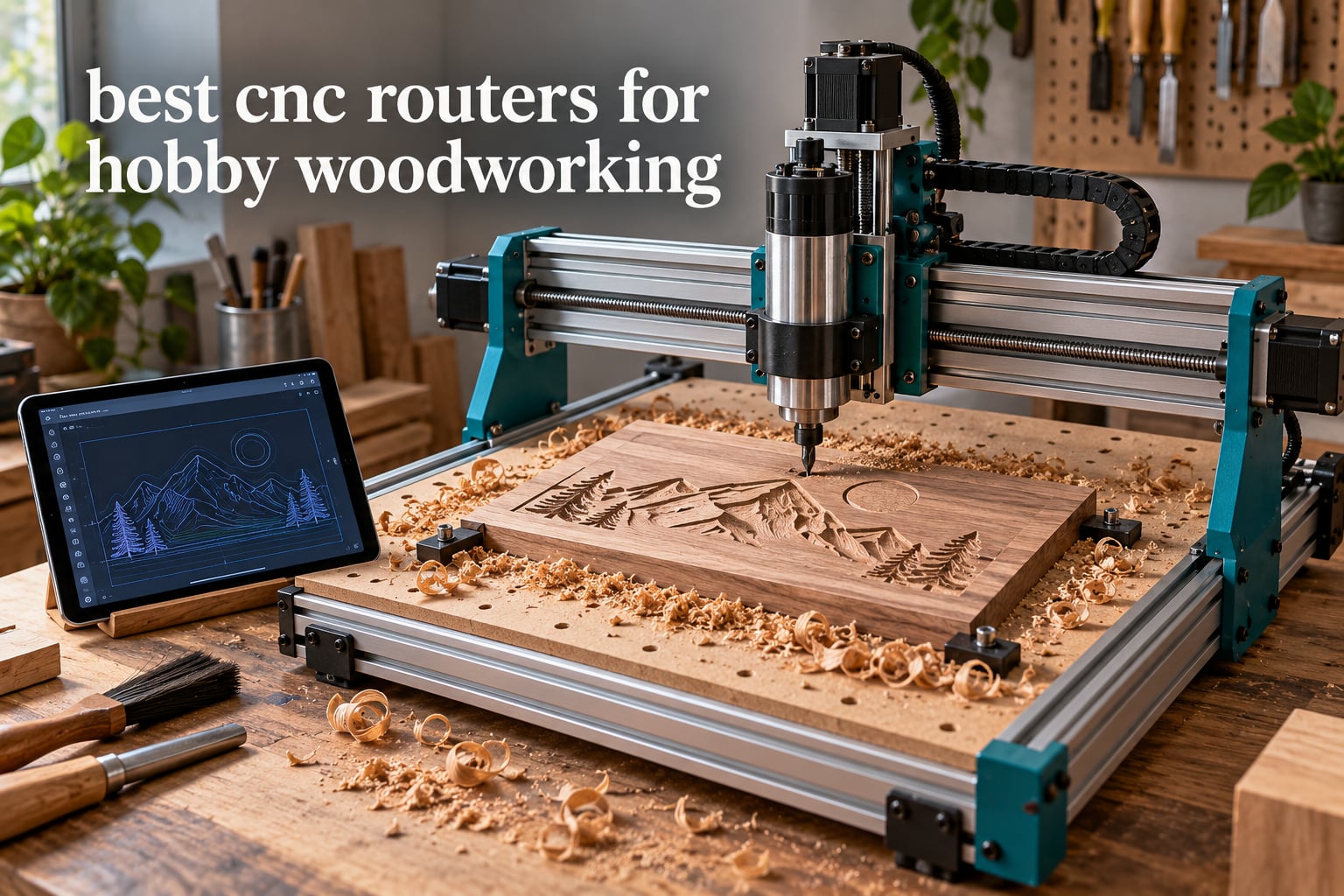
Most hobby woodworkers who look into computer-controlled cutting do it for the same reason: they keep making the same part and a router table or scroll saw cannot repeat it accurately twice. A CNC router follows a digital toolpath from CAD and CAM software, drives a spinning bit across an X-Y-Z gantry, and cuts the same shape again and again without drift. For signs, plaques, inlays, game boards and small furniture parts, that repeatability is the whole point.
Short answer for the best CNC routers for hobby woodworking right now: the Genmitsu PROVerXL 4030 is the most complete machine in this roundup and our editor’s choice, the FoxAlien Masuter Pro is the strongest value pick for a first all-metal machine, and the LUNYEE 3018 PRO MAX is the cheapest credible way in. If your real work is full sheet goods rather than small parts, the Genmitsu PROVerXL 6050 Plus is the one to buy instead, because bed size decides more purchases than any other single spec.
What follows is eight machines, all of them genuine hobby-tier desktops in the aluminium-extrusion class, judged on the things that actually decide cut quality: frame rigidity, drive hardware, spindle power, work area, software friction and the honest drawbacks owners mention after living with the machine. Specifications come from manufacturer published figures; where a number is not published we leave it out rather than estimate it. If you are still building a kit list, our beginner woodworking tool set guide covers the hand tools that still matter alongside a gantry machine.
One thing to say plainly before the picks: a CNC router is a second shop, not a replacement for a table saw. It produces chips instead of dust, it needs a flat level surface and a dedicated extraction plan, and the learning curve lives in the software rather than in the hardware. Machines that treat wood as a secondary material will cut wood badly no matter what the listing claims.
Table of Contents
Top 3 Picks: Best CNC Routers for Hobby Woodworking (October 2026)
These three cover the realistic range of what a hobby woodworker buys. The PROVerXL 4030 is the one we would put in a garage tomorrow, the Masuter Pro is the best-built machine per pound spent in this group, and the LUNYEE 3018 PRO MAX is the cheapest one here that still arrives with enough metal and enough power to work with.

Genmitsu PROVerXL 4030
- 400 x 300 x 110mm work area
- 300W spindle and Dewalt router adapter
- Limit switches
- e-stop and Z-probe included

FoxAlien Masuter Pro
- All-metal frame with linear rail Z-axis
- 15.75 x 15.75 inch working area
- NEMA 23 and router upgrade paths

LUNYEE 3018 PRO MAX
- 500W spindle at the entry tier
- All-metal frame with 80mm Z travel
- Six limit switches and manual handwheels
Best CNC Routers for Hobby Woodworking (October 2026)
The table below carries the headline number for each machine: the working area, the drive and spindle package, and the one job the machine is genuinely good at. Read the work area column first, because a machine that is too small for your material will not be rescued by better motors.
| Product | Specifications | Action |
|---|---|---|
| Genmitsu PROVerXL 4030 |
|
Check Latest Price |
 FoxAlien Masuter 3S FoxAlien Masuter 3S |
|
Check Latest Price |
 FoxAlien XE-PRO FoxAlien XE-PRO |
|
Check Latest Price |
 Genmitsu PROVerXL 6050 Plus Genmitsu PROVerXL 6050 Plus |
|
Check Latest Price |
 TWO TREES TTC450 Pro TWO TREES TTC450 Pro |
|
Check Latest Price |
| FoxAlien Masuter Pro |
|
Check Latest Price |
| LUNYEE 3018 PRO MAX |
|
Check Latest Price |
 Genmitsu 3018-PROVer V2 Genmitsu 3018-PROVer V2 |
|
Check Latest Price |
1. Genmitsu PROVerXL 4030: Best All-Rounder for Hobby Woodworking
Genmitsu PROVerXL 4030 CNC Router Machine for Wood & Metal
Work area 400 x 300 x 110mm
300W spindle to 12000 rpm
NEMA 23 steppers, rigid C-beam frame
31 kg machine
Pros
- Rigid C-beam frame with dual Y-axis screw drive and optical Z-axis
- Limit switches
- e-stop
- speed control and Z-probe all included
- Pre-assembled XYZ modules cut setup time
- Adapter included for a Dewalt DWP611 router upgrade
- Platform expands to 24 x 24 inch and 40 x 40 inch kits
Cons
- 400 x 300mm bed is small for sheet material
- 31 kg is awkward to reposition in a small shop
- Software learning curve for first-time users
This is the machine I would put in a garage tomorrow if I were building one hobby bench and no more. The 400 x 300 x 110 mm work area is not large, but it gives you room for signs, plaques, cabinet parts and small batches without drama. Owners consistently report that the frame comes together true and stays square, which is the first thing you need and the thing most cheap machines get wrong.
What separates it from the entry tier is completeness out of the box. Hard limit switches on all three axes, an emergency stop, speed control and a Z-probe ship in the box, and the pre-assembled XYZ modules mean you are not aligning rails on your first afternoon. If you have never run a CNC before, that difference is worth more than any spec on the page.
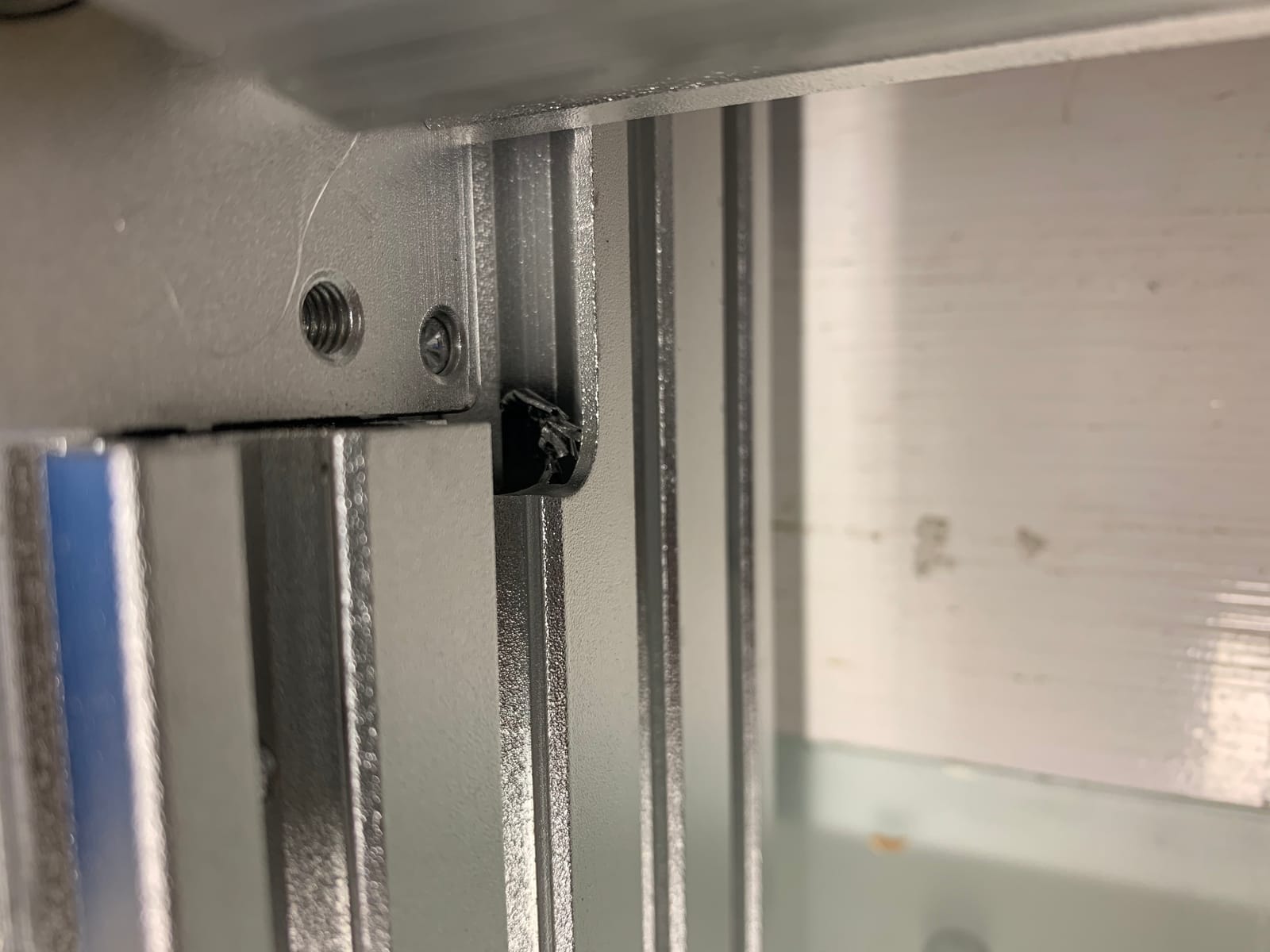
The drive hardware is the real story. A rigid C-beam frame, dual Y-axis screw drive and an optical Z-axis give a noticeably more settled cut than the lead-slot extrusion machines at this level, and the NEMA 23 steppers have the torque to push a two-flute bit into hardwood without stalling. The bundled 300W spindle reaches 12000 rpm, and a Dewalt DWP611 adapter is included so you can move to a larger trim router later without buying a new mount.
The named drawback: the bed is simply small for sheet material. There is no way around that, and if your plan is full-width plywood panels you will outgrow this machine in a year. A second issue owners raise is weight, at 31 kg it is not something you shuffle between benches, so decide its home before it arrives.
Where the PROVerXL 4030 earns its place
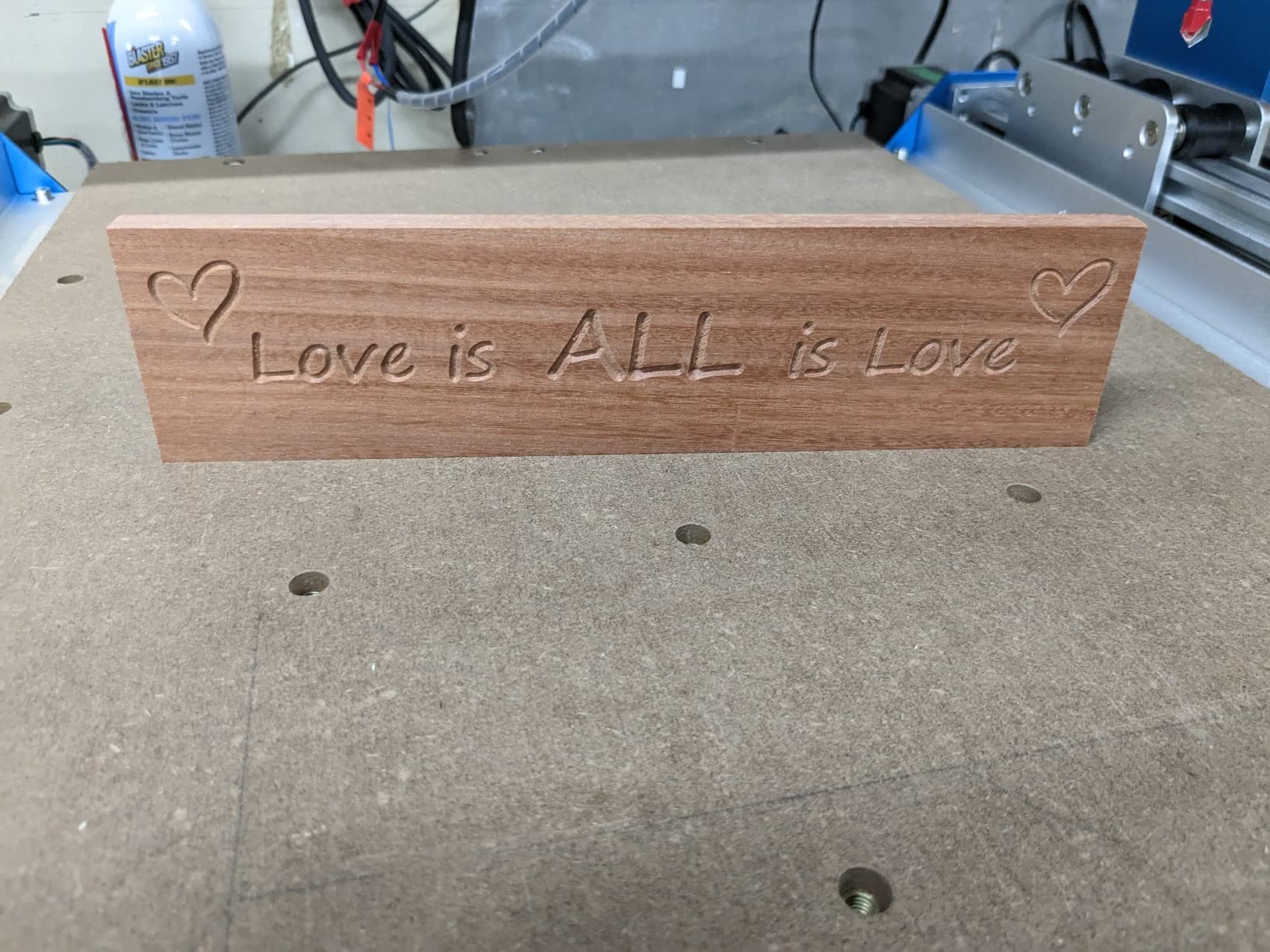
This suits a hobbyist who has already decided CNC is the right tool and wants to spend their weekend cutting instead of assembling and troubleshooting. Everything needed for a first job is in the box, and the C-beam rigidity means the first cuts look like the fiftieth cut. It is also the sensible first machine for anyone who already owns a handheld router, since the adapter lets you bring your own tool.
It also suits a growing hobbyist. The PROVerXL platform is designed to move up to a 24 x 24 inch kit and then a 40 x 40 inch kit, so this is not a dead end. Three months of Carveco Maker are included for design and CAM, which covers the software cost for your first quarter while you are still learning what a good toolpath looks like.
Where the PROVerXL 4030 will frustrate you
Skip it if your work is full sheet goods, because a 400 x 300 mm bed turns a 4 by 8 sheet into a series of awkward partial cuts and re-fixturing. It is also the wrong choice for a shared makerspace bench where the machine has to be moved between users every session.
Second, the bundled 300W spindle is the part most owners replace. For softwood, MDF and plywood it is fine. For repeated hardwood work or deep cuts in thick stock, plan on the Dewalt adapter or a larger spindle as a second purchase rather than a surprise. Finally, expect a real learning curve in the software even though the machine itself is friendly.
2. FoxAlien Masuter 3S: Best for First-Time Hardwood Cuts
FoxAlien Masuter 3S CNC Router Machine with Closed-Loop Stepper Motors
NEMA 23 closed-loop steppers at 2.2 Nm
400W spindle, 10000 rpm
15.75 x 15.75 x 3.74 inch workspace
0.05mm engraving precision
Pros
- Closed-loop NEMA 23 steppers deliver 2.2 Nm with no lost steps
- 400W spindle handles wood
- plastics and soft metals
- Factory geometry is square and needs no tuning
- Assembly about 30 minutes with clear photo instructions
- Works with open-source toolchains such as CNCjs and FreeCAD
Cons
- Heavy single-box delivery is awkward to move
- Screws can loosen under vibration and need re-torquing
- Supplied 1/8 inch V-carve bits are only good for test cuts
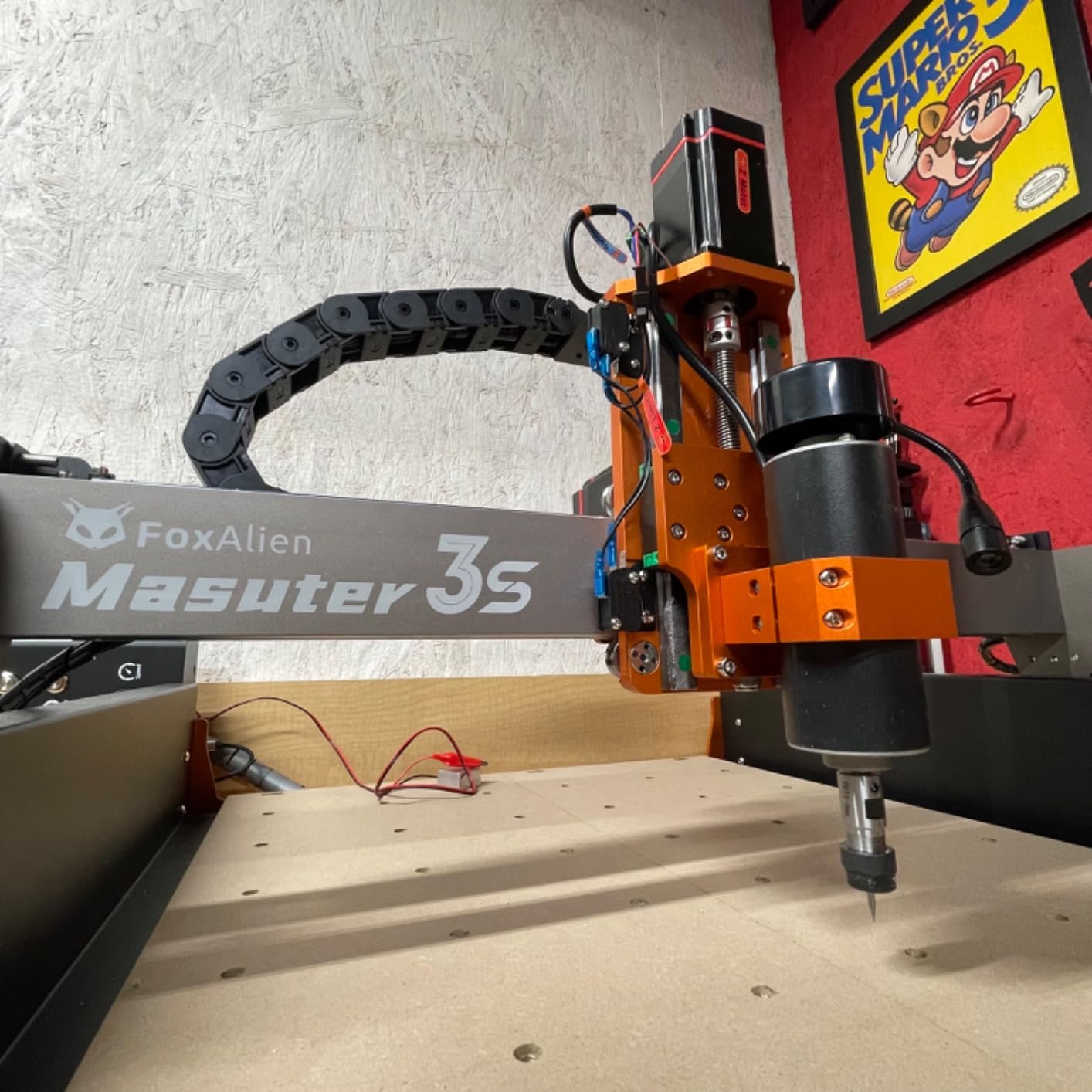
Where the base Masuter is a machine you plan upgrades around, the 3S is the version that arrives ready to cut hardwood. The closed-loop NEMA 23 steppers are the headline: 2.2 Nm of torque with no lost steps, and rapids up to 10000 mm/min. On wood that means the bit keeps cutting when the load rises instead of the gantry stalling and leaving a torn edge.
The frame is reinforced 2360 mm extrusion with dual HG-15 linear rails on the Z-axis and a T12 lead screw, and owners report the machine needs no tuning after assembly. That square-out-of-the-box quality is the difference between a first job that goes well and a first job spent chasing backlash. It also carries a 400W spindle, which is real cutting capacity rather than a token tool.
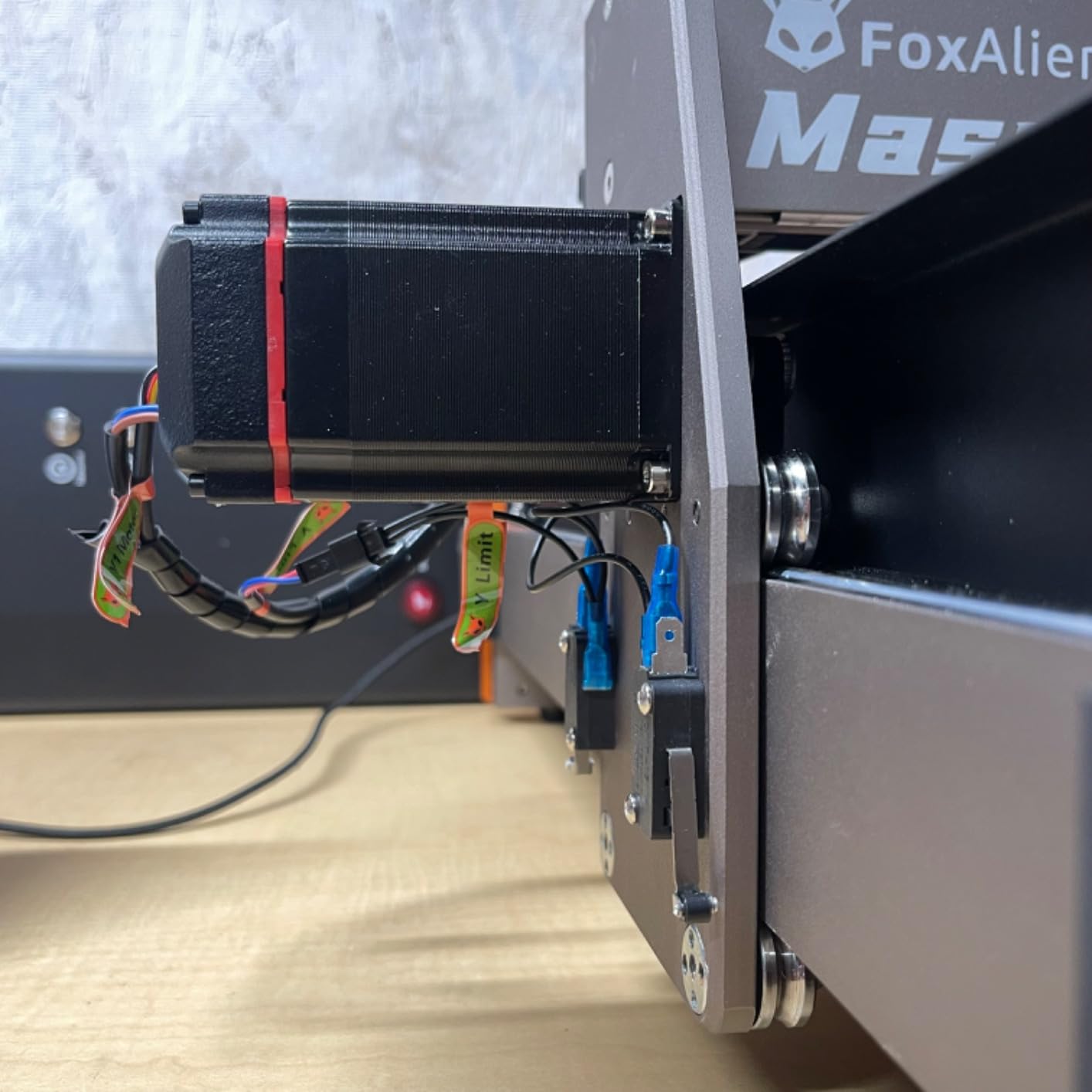
At 0.05 mm engraving precision and a 400W spindle, this is the machine in the roundup I would trust with hardwood on day one. It is also set up for a fourth axis rotary module if you later want to turn cylindrical stock, and the workspace of 15.75 x 15.75 x 3.74 inch gives you room to lay out a small panel rather than scrabbling for every part.
The named drawback is logistics and vibration. At 26.5 kg the machine arrives heavy and awkward to move, and screws can loosen under sustained cutting vibration, so check and tighten every axis before your first serious job and again after the first few. A minority of owners also report spindle runout on the supplied spindle, so verify it early with a straight edge in a test cut.
Who should buy the Masuter 3S
Buy this one if wood is your primary material and you want to skip the upgrade cycle. The closed-loop motors and 400W spindle are exactly the two parts that normally cost extra on a machine in this class, and having them from the start means you can go straight to hardwood instead of spending your first months proving the machine works.
It also suits a beginner who values momentum over maximum bed size, because the assembly is about 30 minutes and the geometry needs no calibration. The open-source toolchain support means you are not locked into one vendor’s software, which matters if you later want to move to a different CAM path.
Who should look elsewhere
Choose a different machine if cutting full sheet stock is the plan, since a 15.75 inch square bed is a compromise between two larger tiers. It is also not the right pick for anyone who needs to move the machine regularly, or who wants a touchscreen and standalone control at the panel.
On cost of ownership, budget for tooling. The supplied 1/8 inch V-carve bits are adequate for test cuts only, and a real wood business needs single-flute upcut and downcut bits, a fishtail for roughing and a ball nose for relief work. The machine is ready; the cutters are a separate line item.
3. FoxAlien XE-PRO: Best for Repeat Accuracy and Fine Detail
FoxAlien CNC Router Machine XE-PRO with Ball Screws and 400W Spindle
1204 ball screws on all three axes
Closed-loop NEMA 23 steppers, 5000mm/min
400W spindle to 12000 rpm
38.46 kg machine
Pros
- Ball screws on every axis cut backlash against lead screws
- Closed-loop steppers run faster
- quieter and skip-free
- Build holds up in deep or fast cuts through hardwood and MDF
- Comes square and calibrated
- Three spindle clamp sizes plus a linear rail upgrade path
Cons
- Ships without design or machine-control software
- 400W spindle is underpowered for serious work
- 38.46 kg weight is hard to move
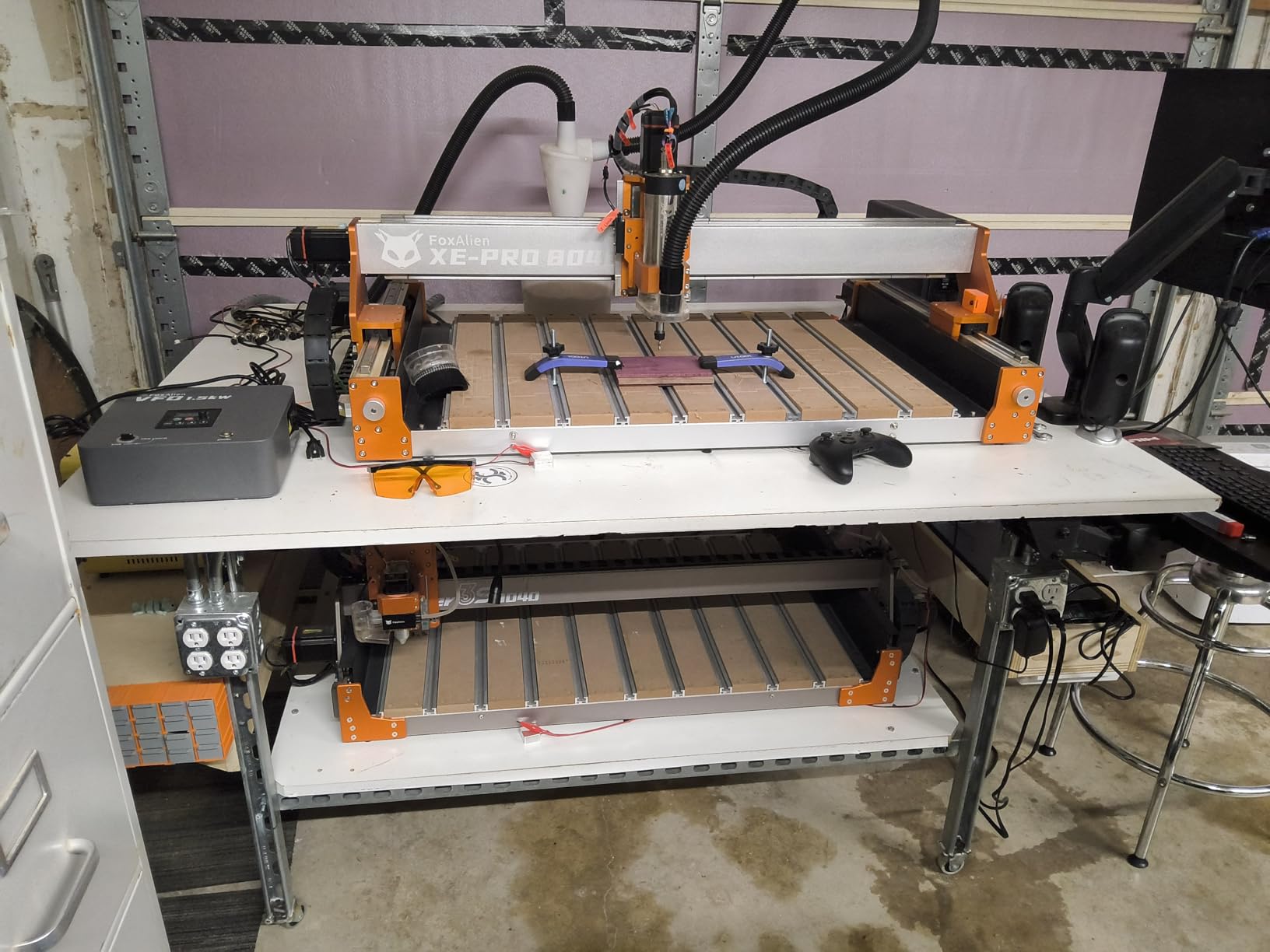
The XE-PRO is the machine in this roundup built around one idea: backlash. Where most hobby frames use lead screws, it runs 1204 ball screws on the X, Y and Z axes, with dual linear rails on the Z. That is the specification that decides whether a cut edge is crisp or faintly fuzzy, and it is why this machine suits inlays, marquetry and anything where the parts have to nest.
Closed-loop NEMA 23 steppers push rapids to 5000 mm/min without losing steps, and the machine is reported to arrive square and calibrated. Three spindle clamp sizes are included, 52mm, 65mm and 69mm, so you can move from the bundled 400W spindle to a trim router or a larger spindle without hunting for a mount.
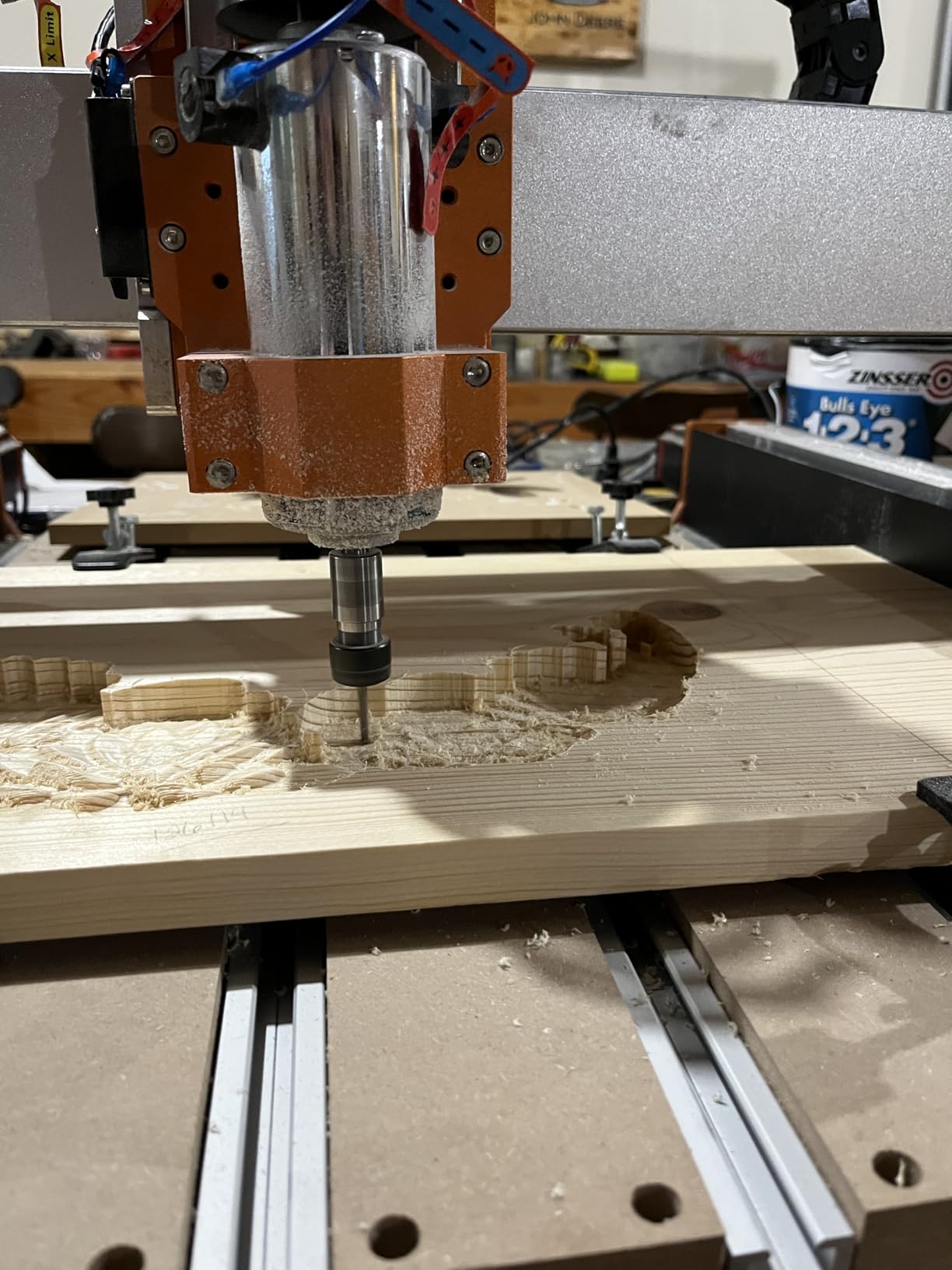
For repeat work, this is the pick. Ball screws return to position more consistently than lead screws as they wear, which means a batch of ten inlays matches a batch of one. Owners also report the frame stays rigid in deep cuts through hardwood and MDF, which is where lighter frames start to chatter.
The named drawback is the software. This machine ships without design or machine-control software, and owners adding VCarve Pro plus gSender point out that this adds a real cost to the total. Check that software cost into your budget before you order, because it can be a meaningful fraction of the machine itself. Spindle speed is also set by a physical dial rather than from software, which is old-fashioned but not wrong.
Who benefits from ball screws
Anyone cutting inlays, dovetails, matched pairs or small batch production where consistency between pieces matters more than raw area. If your projects are signs and plaques, you will not feel the difference and you would be better served by a machine with more bed.
It is also a good upgrade target rather than a first machine, because the XY axes can later be converted to linear rails. Owners who reach for that upgrade are effectively building an industrial-grade home machine, and the included clamps mean the power side of the machine is ready for a bigger spindle later.
Who should pick something else
Skip it if you need turnkey out-of-the-box operation with software in the box, or if shipping logistics matter to you. At 38.46 kg in a single box, this is the heaviest machine in the roundup and getting it into position is a two-person job.
There is also a small but real reliability note. A minority of owners report set screws needing checking on every axis after assembly, plus isolated reports of a Y-axis rod working out of its stepper adapter and an X-axis ball bearing carrier separating. FoxAlien support is repeatedly praised for replacing parts quickly, which is the main reason these reports stay minor rather than becoming a reason to avoid the machine.
4. Genmitsu PROVerXL 6050 Plus: Best for Large Panels and Full Sheet Work
Genmitsu PROVerXL 6050 Plus CNC Router Machine for Big Projects
Work area 600 x 500 x 115mm
Dual HG-15 linear rails, T10 lead screw
NEMA 23 steppers with jog wheels
Hybrid metal table with T-track
Pros
- Large 600 x 500mm bed on a rigid all-metal frame
- Assembles truer than the smaller PROVerXL models
- Dual HG-15 linear rails give quiet accurate motion
- Pre-assembled core means few installation steps
- Both 52mm and 65mm spindle mounts included
Cons
- Package exceeds 60 kg and cannot be moved by one person
- Bundled 300W spindle is quickly replaced by owners
- Quality control is inconsistent with missing accessories
This is the machine to buy when the deciding factor is how much material fits on the bed. At 600 x 500 x 115 mm, it is the first machine in this roundup where a standard sheet good can be laid down in one piece rather than being split into panels and re-fixtured, and hobbyists and small shops consistently describe it as one of the best large-format machines available at this level of spend.
The motion system is what you would hope for at this size. Dual HG-15 linear rails and a single Y-axis T10 lead screw give quieter and more accurate travel than a belt-driven bed, and owners report the frame comes together straight and true on all three axes. NEMA 23 steppers with manual jog wheels make zeroing and tool changes straightforward, which matters more than it sounds on a machine this wide.
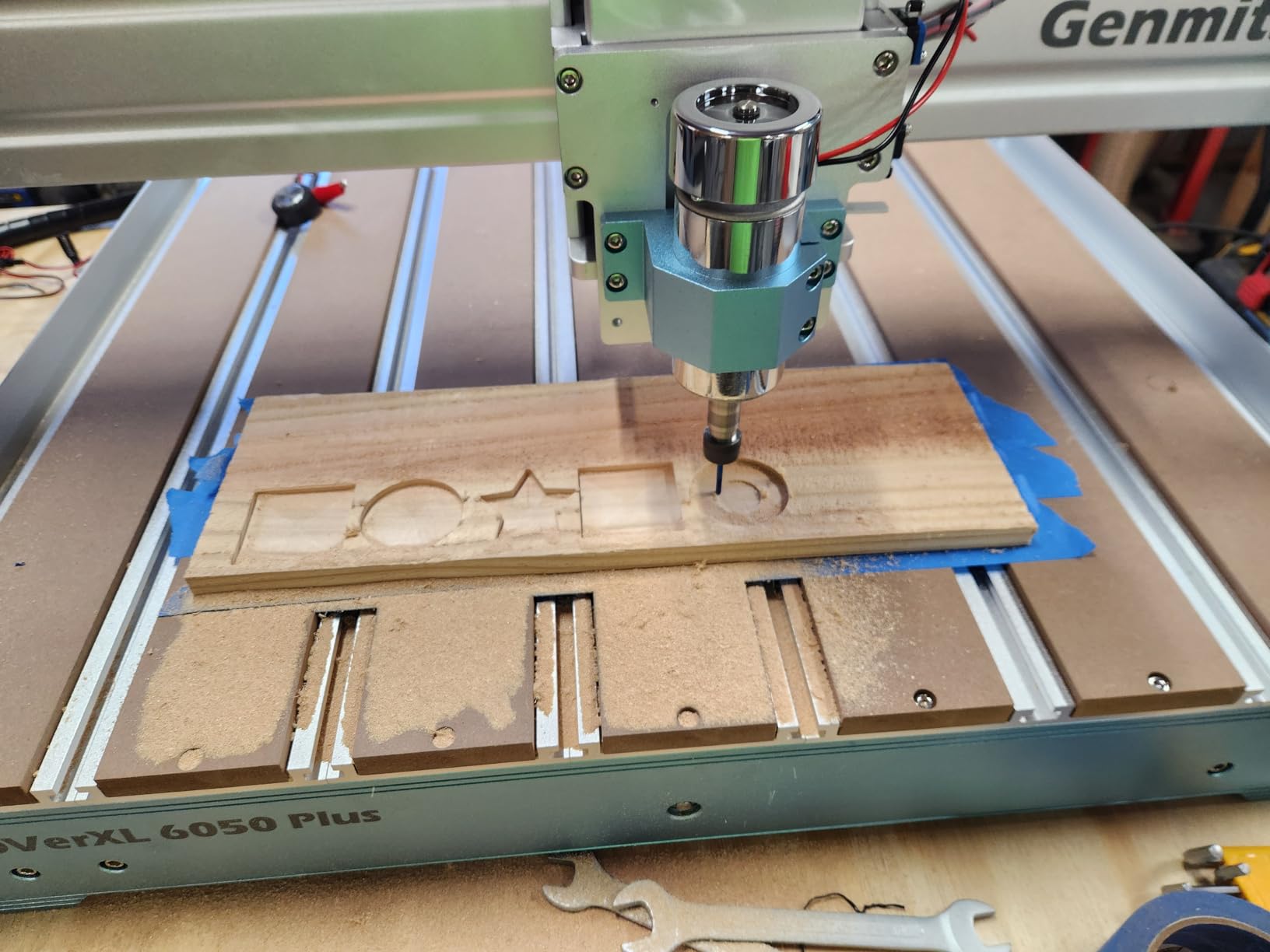
The spoilboard system is well judged too. MDF boards sit in a durable aluminum T-track grid that is easy to replace once it is chewed up, and the grid takes a wide variety of clamp sets. On a machine this size, a replaceable spoilboard is a genuine advantage because the sacrificial material takes the load of every full-depth cut.
The named drawback is weight, and it is not a small one. The package is reported over 60 kg and cannot be moved by one person, so plan the floor space, the route into the garage and the bench height before it arrives. Quality control is also uneven, with owners reporting missing parts such as the Z-probe extension and extra hardware, and some factory sub-assemblies needing rework during assembly.

When the 6050 Plus is the right call
Choose it if you cut cabinet components, signs that span more than a couple of feet, or panels where re-fixturing would waste more time than the machine saves. The larger bed also makes nesting multiple parts on one sheet practical, which is where a CNC starts to repay its cost in a hobby shop.
It is a sensible second machine for someone who started small and now has steady demand for bigger parts, and the jog wheels plus pre-assembled core keep the learning curve manageable even at this size. Owners who have run the smaller PROVerXL report this one assembles even truer.
What to know before you commit
Do not buy it for a small shop where the machine has to be moved, cleared or accessed from a shared bench. The footprint and the delivery weight are hard filters, not preferences, and no amount of good hardware changes the fact that a 60 kg-plus machine is a permanent installation.
Two more honest notes. The bundled 300W spindle is widely replaced with a Makita router or a 1.5kW spindle almost immediately, and there is no switched power tap, so adding a relay to control a router, dust collection or vacuum is part of the build. The documentation is also sparse and available in English and German only, so budget time for setup troubleshooting.
5. TWO TREES TTC450 Pro: Best for Standalone Control Without a Laptop
Twotrees TTC450 Pro All-Metal CNC Router Machine with NEMA 57 Stepper Motor
Work area 460 x 460 x 80mm
3.5 inch IPS capacitive touch screen
NEMA 57 stepper, 0.0025mm positioning
775 spindle, 20.5 kg
Pros
- Large 460mm square work area for this class
- 3.5 inch touch screen gives standalone control
- Expansion ports for 4th axis
- laser and 500W spindle control
- Aluminum alloy and stainless steel frame with dual limit switches
- Accessory bundle includes 10 cutting tools and 6 clamping plates
Cons
- Bundled 775 spindle is underpowered
- Some units needed calibration for straight-line cuts
- Post-sale support can be slow to resolve issues
The TTC450 Pro is defined by its screen. A 3.5 inch IPS capacitive touch panel on the control box means you can load a file, set a zero and start a job at the machine, which for a beginner or a solo hobbyist removes a whole category of friction. Most competitors in this class need a laptop or desktop tethered over USB for every run.
The work area is 460 x 460 x 80 mm, one of the more generous squares available at this level, and it runs open-source GRBL with support for ArtCAM, Fusion 360, Easel and Carveco Maker across Windows, macOS and Linux. The frame combines aluminum alloy and stainless steel with dual TM-1618D micro limit switches on all three axes, and the Z-axis uses a NEMA 57 stepper quoted at up to 0.0025 mm positioning accuracy.
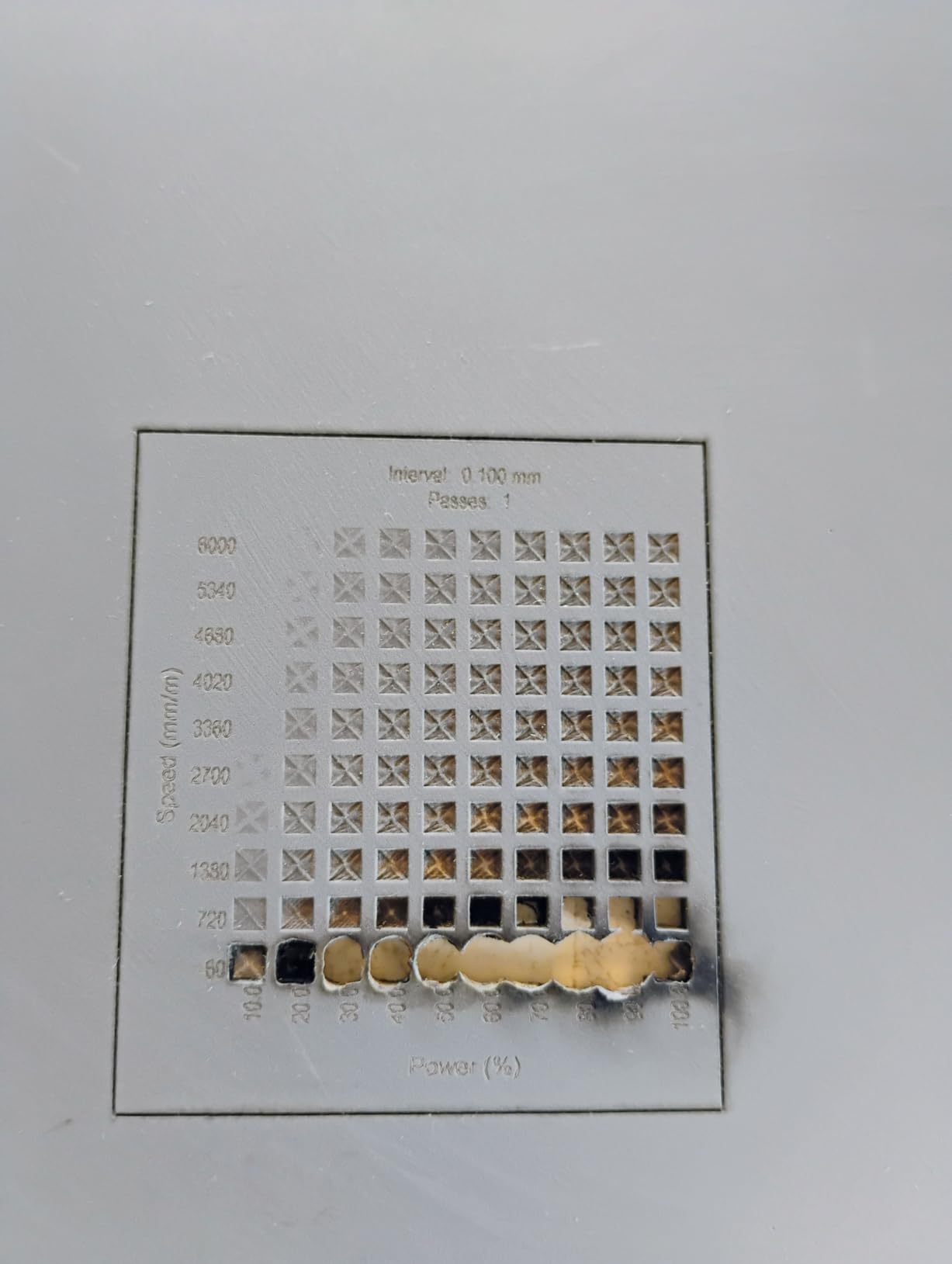
Expansion ports are a quiet strength. The control box carries connections for a fourth-axis rotary unit, a laser module and 500W spindle speed control, so the machine has somewhere to go if your interests widen. The accessory bundle also lands ten cutting tools and six clamping plates, so you are not starting with a bare table and a single bit.
The named drawback is the bundled 775 spindle, which most owners consider too weak and the first thing they upgrade. Beyond that, a critical minority reports inaccurate straight-line cuts out of the box that required calibration, plus missing hardware and a faulty Z-axis coupler on some deliveries. Support is also described as slow and demanding of proof before it resolves a problem, which is worth knowing if you hit a fault early.
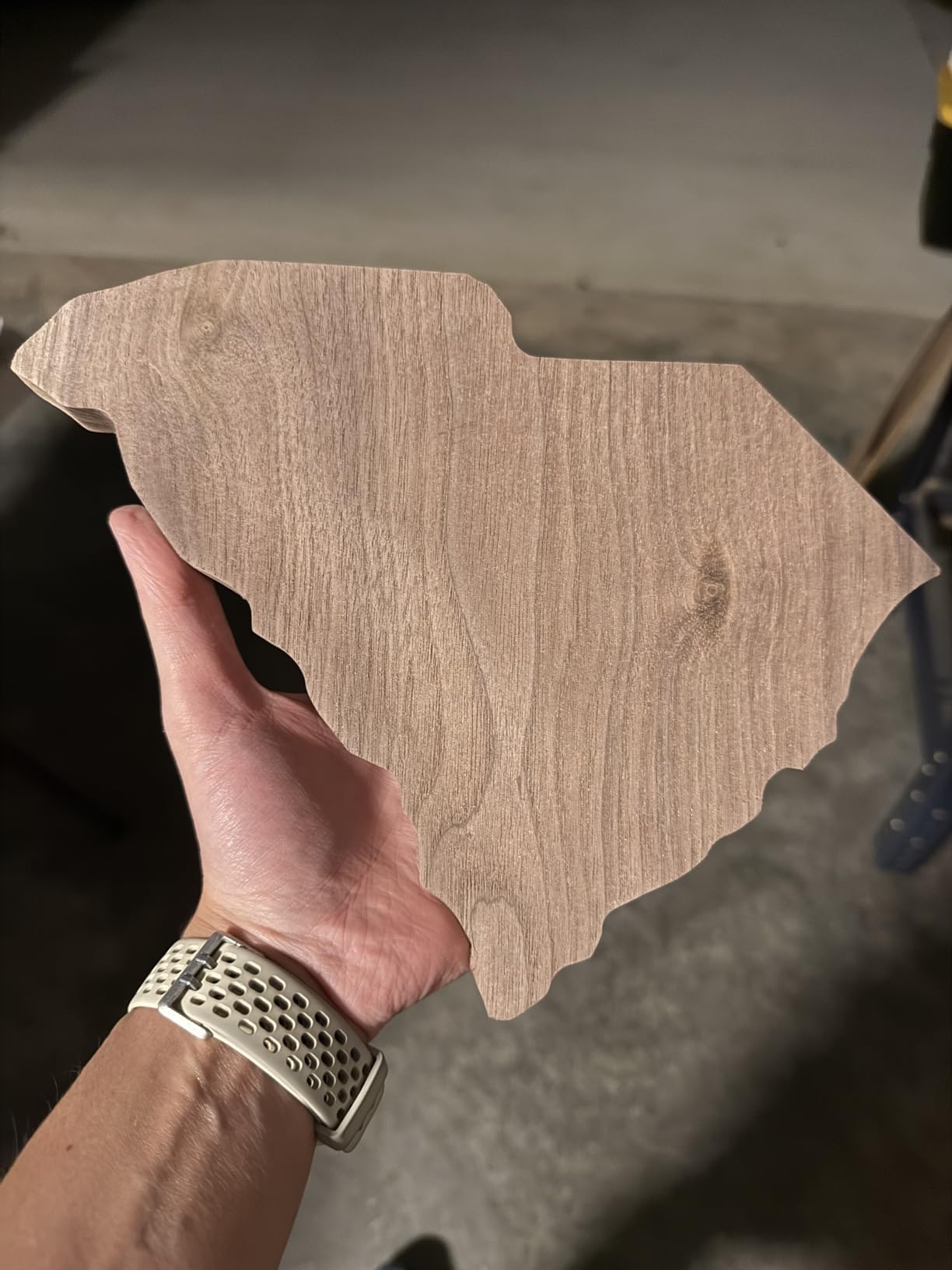
Where the touchscreen genuinely helps
If you are learning alone, the screen shortens the loop between design and object. You can zero manually, run a file and watch the job without managing a background process on a computer, and the manual handwheels on all three axes let you set up without software at all. That is a real reduction in the number of things that can go wrong on a first evening.
The larger square bed also suits sign makers and anyone laying out a set of same-size plaques. And because it is GRBL-based, you are not locked to a single CAM vendor if you outgrow the bundled options.
Where it falls short
The touchscreen is not a substitute for good CAM software, and owners note that G-code post-processor output can be wonky and need manual correction. If you are not comfortable editing G-code, budget time for that or choose a machine whose software pipeline is more tightly integrated.
Operation is also reported as noisy, which matters in a shared or residential space. And if your work is deep three-dimensional relief in hardwood rather than flat or shallow carving, the bundled spindle will not get you there without an upgrade, so treat the 500W spindle port as part of the plan rather than an option.
6. FoxAlien Masuter Pro: Best Value All-Metal Machine
FoxAlien Masuter Pro 3-Axis CNC Router Machine, Beginner Hobby Engraving Machine All-Metal Structure for Wood Acrylic MDF Nylon Routing Milling Carving
All-metal frame with linear rail Z-axis
15.75 x 15.75 x 2.36 inch work area
60W spindle to 10000 rpm
13 kg, 12V
Pros
- All-metal frame with a linear rail Z-axis for tighter motion
- Pre-assembled and pre-wired for about 15 minute setup
- Generous square working area with optional Y extension kit
- Spindle clamps fit a 60W spindle
- a trim router or a 1.5kW spindle
- Support responds quickly and replaces parts out of warranty
Cons
- Bundled 775 spindle and NEMA 17 steppers lose steps in heavy cuts
- Usable work area is smaller than the spoilboard suggests
- No dust shoe or dust collection included
Buyers consistently rate the Masuter Pro as the best-built machine in its bracket, and the reason is the frame. It is all-metal with square linear rails on the Z-axis, which gives noticeably tighter and more rigid motion than the lead-slot designs it shares a shelf with. At 13 kg it is also light enough to move between benches, which no other machine in this roundup manages.
Setup is about 15 minutes because the main parts arrive pre-assembled with a pre-wired harness. The working surface is 15.75 x 15.75 x 2.36 inch, with an optional Y-axis extension kit if you outgrow it, and manual calibration knobs are fitted to all three axes so you can dial it in without software.
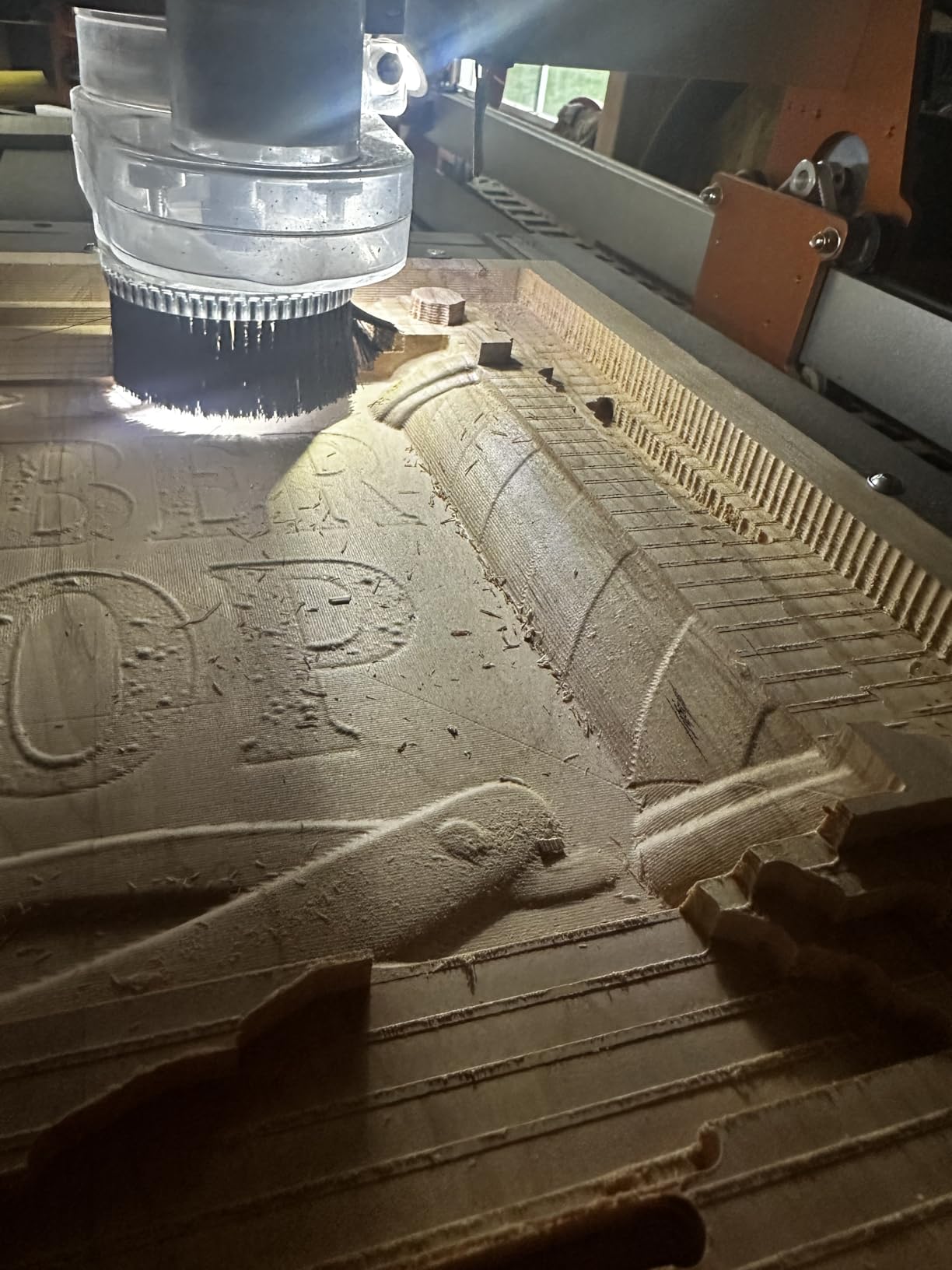
The upgrade path is the story here. It ships with both 52mm and 65mm spindle clamps, so a 60W spindle, a 65mm trim router or a 1.5kW spindle all fit, and owners report that adding a NEMA 23 motor kit and a stronger spindle transforms the machine. That is a deliberate design: buy the frame, then spend your money on the power and the drive.
The named drawback is exactly that starting point. The 60W spindle and NEMA 17 steppers can lose steps under heavy cutting, so plan the machine as a platform rather than a finished tool. Two smaller issues show up repeatedly: the usable area is a little smaller than the spoilboard suggests, and there is no dust shoe or extraction included, which for wood is not a small gap.
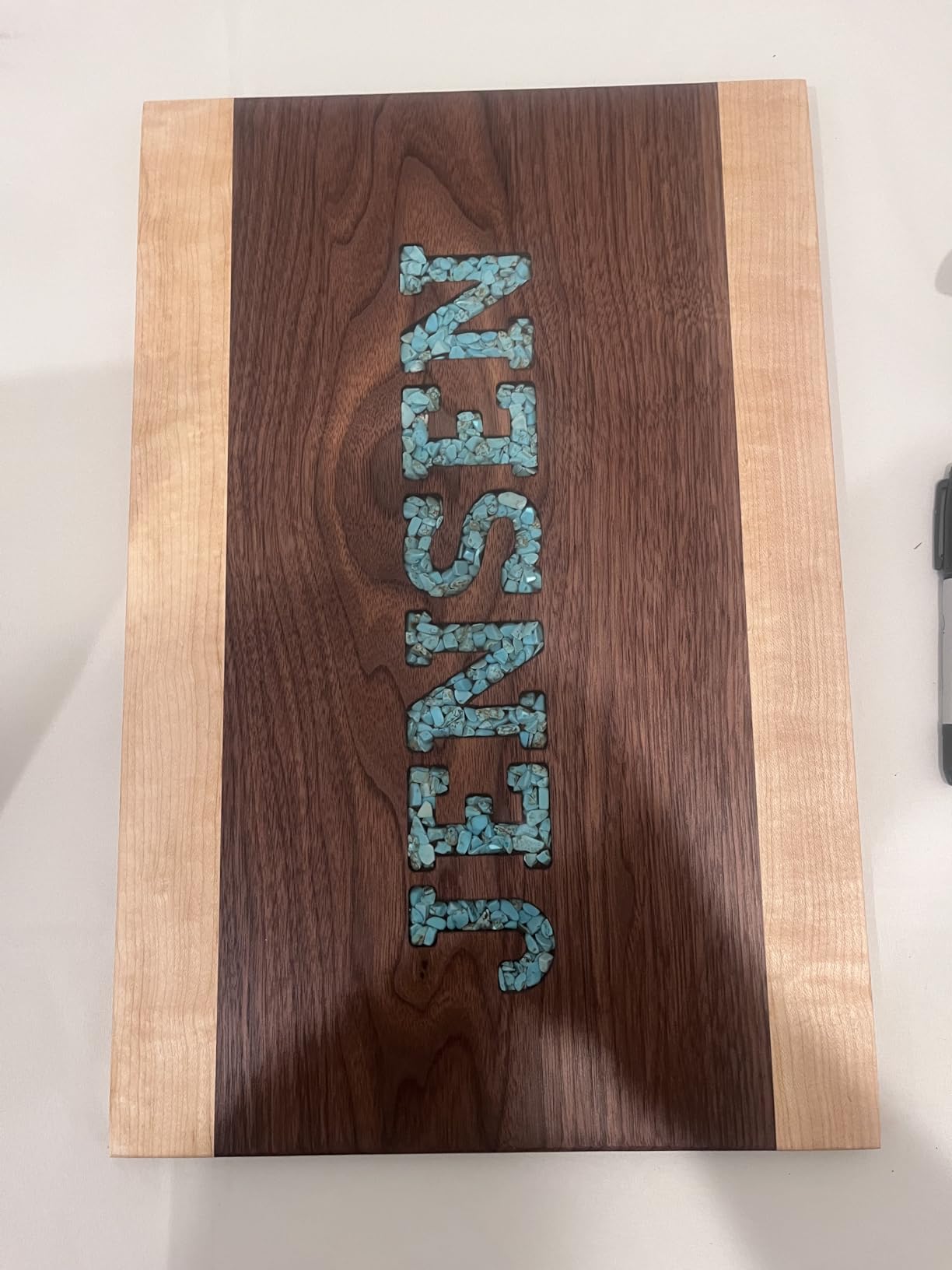
Why owners rate it so highly
The praise is consistent: fast assembly, rigidity, near-silent running and support that answers quickly and replaces parts even after warranty. For a first machine, that combination matters more than headline wattage, because the first thing you will do is break something during setup and the second thing you will do is call someone.
It is also the machine to buy if your shop is a corner of a garage rather than a dedicated room, at 13 kg you can put it on a folding bench and reclaim the space afterwards. The optional Y-axis extension kit means a small machine does not have to be a permanent compromise.
Where the low-power starting point bites
Do not buy it expecting to cut thick hardwood on day one with the bundled spindle. Owners consistently advise a stronger router or spindle as the first upgrade, and the NEMA 23 motor kit is close behind, so factor both into your real budget rather than the headline one.
Two more practical notes. During a tool change the spindle can drag gantry movement, so the gantry needs clamping before you loosen a collet, and the dust-proof controller box has to be opened to attach some accessories such as the roller unit. Neither is serious, but both will interrupt you mid-job if you do not know about them.
7. LUNYEE 3018 PRO MAX: Best Budget Entry With Real Metal and Real Power
LUNYEE 3018 PRO MAX CNC Machine 500W All-Metal CNC Router Machine 3 Axis Limit Switches & Emergency-Stop with GRBL Offline Control for Cutting Wood Acrylic MDF Plastic, Working Area: 300 x 180 x 80mm
500W spindle, 0 to 12000 rpm
Work area 300 x 180 x 80mm
All-metal frame, 80mm Z travel
Six limit switches and handwheels
Pros
- 500W spindle is unusually strong for the entry tier
- Reinforced aluminum frame with no plastic structural parts
- 80mm Z travel on a 12mm optical axis
- Six limit switches plus emergency stop for real safety
- Manual handwheels on all three axes
Cons
- 300 x 180mm bed restricts larger workpieces
- Starter bit set is limited so extra end mills are needed
- GRBL software learning curve
The LUNYEE 3018 PRO MAX solves the two things that usually make a cheap 3018 a bad wood machine. First, the frame is a reinforced aluminum profile with no plastic structural parts. Second, it comes with a 500W spindle running 0 to 12000 rpm, which is real cutting capacity on a machine most buyers expect to see a 60W or 775 spindle on.
The Z-axis is the other quiet strength, with an 80mm stroke, the longest among standard models of this size, on a 12mm optical axis for accurate linear motion. That travel matters more than it sounds, because a shallow Z gives you a decorative plate where you wanted a carved box lid.
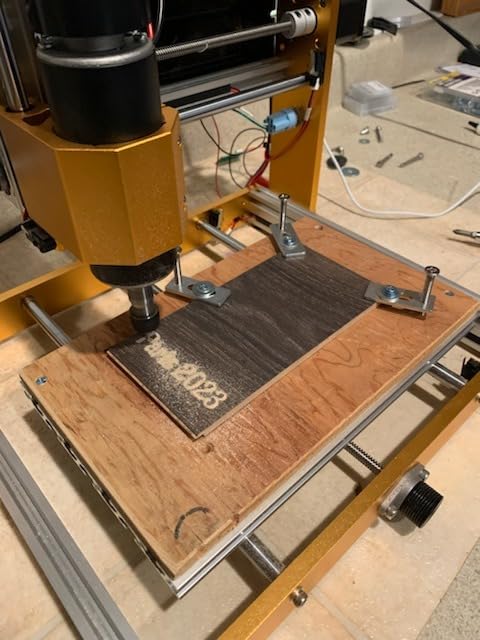
Safety is treated properly too. Six limit switches and an emergency stop button are fitted, and manual handwheels on all three axes let you zero the machine without launching software at all. A 4G USB drive with pre-installed software is included along with installation and wiring videos, which is a thoughtful onboarding detail for a first-time buyer.
The named drawback is the 300 x 180 x 80 mm work area, which caps project size hard. This is a coaster, sign, badge and small-parts machine. A second drawback is tooling: the supplied starter bits are limited, so a real workflow needs additional end mills bought separately, plus the usual GRBL and CAM learning curve every entry machine carries.
Who this machine is for
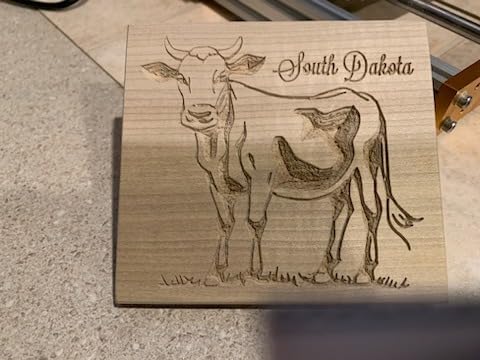
It suits a beginner who wants to find out whether CNC is for them before committing real money, and it is a strong choice for small gifts, engraved coasters, badges and control panels. The 500W spindle means you are not immediately limited to paper-thin plywood, which is what makes it stand out in this tier.
It is also a good second machine for a busy hobbyist, small enough to sit on a desk and light enough to move to a different room. The ability to switch between spindle and carving modes for cutting, carving, marking and etching covers a lot of small jobs.
Where it will not keep up
Do not buy it for full sheet material of any kind, or for 3D relief carving at depth. The 80mm Z travel helps, but the small bed means most projects become a question of how many re-fixturings you will tolerate. Owners also note the 12mm optical axis option and the wiring setup need care, so read the instructions before first power-up.
Plan on buying a proper bit set early. A single-flute upcut for clean plywood and MDF edges, a downcut for flat surfacing, a fishtail for roughing and a V-bit for sign work will transform what this machine can do, and the same tooling benefits any machine you move up to later.
8. Genmitsu 3018-PROVer V2: Best for Learning Without Spending Much
SainSmart Genmitsu 3018-PROVer V2 CNC Router Machine for Beginners
Work area 300 x 180mm
All-aluminum frame, 10000 rpm
24V, 1.03A, fixed base
342.4 oz
Pros
- Well-built all-aluminum frame with stepper motors that run quietly
- Hard limit switches
- emergency stop
- Z-probe and offline controller included
- Handles wood
- plastic
- acrylic
- PVC
- PCB and carbon fiber
- Extension kits and stronger spindles expand the platform
- Responsive support that sends replacement parts quickly
Cons
- Small 300 x 180mm area limits project size
- Assembly takes far longer than advertised and the manual has errata
- Supplied clamps are fiddly and the included bits are limited for milling
With more than 1200 reviews behind it, the 3018-PROVer V2 is the most thoroughly tested machine in this roundup, and the pattern in that review history is consistent: owners call it an excellent value for a first CNC, rigid for its size, and simple enough to assemble if you budget an hour rather than fifteen minutes. The gantry arrives pre-assembled and the aluminum spoilboard is a single piece, which removes the two longest steps.
What is included is unusually generous for the tier. Hard limit switches, an emergency stop, a Z-probe and an offline controller let you run files without a computer tethered to the machine. The frame is all-aluminum throughout with solid stepper motors that owners report running quietly without wobble, and the material range covers wood, plastic, acrylic, PVC, PCB, carbon fiber and density board.
Expansion is the real strength. Extension kits and stronger spindles are supported, so the platform can grow as your skills do rather than being a sealed first experiment. Support is also repeatedly praised, including out-of-warranty replacements, which for a first machine is worth as much as any spec on the list.
The named drawback is the assembly claim. Owners report it takes considerably longer than the advertised fifteen minutes and that the manual carries errata, so plan a full afternoon and expect to improvise on a couple of steps. The included hold-down clamps are fiddly and the supplied Vee bits are of limited use for milling, and the manual hand controller is not intuitive for repositioning between tool changes.
What it is genuinely good at
This is the right first machine for learning the workflow, not the right first machine for production. Small plaques, engraved keyrings, coasters, name badges, drilled and routed jigs and small inlay work all fit inside a 300 x 180 mm area, and learning CAM, feeds, speeds and tool changes on a machine this size is a low-stakes way to find out whether you enjoy it.
It is also a good low-commitment first step for a partner or family member who wants to try a project before you give up bench space to a large machine. The weight of 342.4 ounces means it is genuinely portable, which no other machine in this roundup is.
Where it will stop you
The 300 x 180 mm work area is the hard limit, and no amount of accuracy makes that limit disappear. If your first idea is a full sheet of plywood for a set of drawer fronts, this machine will frustrate you within a week, and the honest advice is to size the machine to your smallest typical project rather than your largest imagined one.
Z-probe calibration and the GRBL, Candle and Fusion 360 setup carry a real learning curve, which is fine if you want that curve and frustrating if you do not. Some buyers also report units or accessories arriving damaged or pre-used, so inspect the box carefully on arrival and photograph everything before you assemble.
How to Choose a CNC Router for Hobby Woodworking (2026)
Every machine above is a desktop gantry router built on aluminium extrusion. The differences that matter for wood are bed size, drive hardware, spindle power and how much dust handling the design allows for. Here is how to weigh them in the order that actually saves money.
Work area is the number that decides most purchases
Start with the size of your smallest typical project, not your largest one. A 300 x 180 mm bed handles small gift items and nothing else, a 400 x 300 mm bed adds a standard sign or cabinet part, and a 600 x 500 mm bed is the first size where sheet goods and nested layouts work without constant re-fixturing. Moving up a size later is easy on the Genmitsu PROVerXL platform, and optional extension kits exist on the smaller FoxAlien models, so growth is not always a full replacement.
Spindle or trim router: the most misunderstood choice
A spindle is a purpose-built brushless motor that mounts directly into the machine, runs quietly at high speed and needs no collet changes during a job. A trim router is the handheld tool you already own, clamped into a mount, and it is louder, has more runout and usually has only one speed setting. On a machine with a small bundled spindle, mounting a trim router such as a Dewalt DWP611 is the single most common upgrade owners make, and the Genmitsu PROVerXL 4030 ships with the adapter for exactly that reason. Higher spindle wattage matters for hardwood and deep cuts because wood is a variable-density material; a bit that cuts oak cleanly will bog in walnut.
Rigidity, runout and why cut quality follows the frame
Chatter, fuzzy edges and a cut that does not match the preview all trace back to frame flex or spindle runout. Linear rails on at least the Z-axis, as found on the Masuter Pro and Masuter 3S, resist vertical load far better than a lead-slot. Ball screws, as on the XE-PRO, resist backlash as they wear. Runout is the other half: a spindle that is out of true wobbles the bit, and no amount of machine rigidity fixes that. Ask for a straight-edge test cut before you commit to a machine you cannot test in person.
Drive system: stepper motors, lead screws and ball screws
Stepper motors come in open-loop and closed-loop forms. Open-loop motors can lose steps silently under load, which shows up as a dimension that drifts by the end of a long cut. Closed-loop variants, found on the Masuter 3S and XE-PRO, report position back to the controller and correct in real time. Within that, a T12 lead screw is a solid general-purpose choice, dual Y-axis screw drive resists one of the common frame flex points, and ball screws hold the tightest tolerances over time.
Software and the learning curve
GRBL-based machines pair with open-source CAM tools and give you flexibility at the cost of setup effort, while machines bundling a specific design package are easier to start with and can become limiting later. Fusion 360, Carbide Create, Easel Pro and Carveco cover most hobby needs, and F-Engrave and CNCjs are useful free options. Check before you buy whether the machine ships with machine-control software, because some do not and you will need to factor that cost in. If you also own handheld power tools, our beginner wood router guide is worth a look, since a CNC complements rather than replaces that kind of tool.
Dust collection, chips and the garage shop
Wood is a dust-producing material and a CNC produces chips rather than fine dust, but the volume is large and a garage will fill fast. None of the machines here includes meaningful extraction, so plan a dedicated collector with enough capacity for the session rather than a small shop vac, and keep the machine away from the collector’s intake duct or you will pull chips back onto the spoilboard. A dust shoe helps enormously with finish quality, and several owners add one as a separate purchase. Route extraction and any fixed wiring to follow the manufacturer’s guidance and, for permanent electrical work, use a qualified electrician.
Footprint, power and what your first job really needs
All eight machines here run on ordinary household power, which is a genuine advantage over larger shop machines that need a dedicated circuit. Footprint is the harder filter: the Genmitsu PROVerXL 6050 Plus and the FoxAlien XE-PRO are permanent installations, the Genmitsu PROVerXL 4030 and TWO TREES TTC450 Pro are two-person lifts, and the Masuter Pro and LUNYEE 3018 PRO MAX move with one hand. Forum threads on hobby CNC forums repeatedly frame space and power as hard filters that disqualify otherwise excellent machines, so measure first. If you want a rough idea of the other end of the shop, our jigsaw buying guide covers portable cutting for the days a CNC is the wrong tool.
What real owners recommend outside the obvious brands
Advice on hobby CNC forums is not confined to the brands in this roundup. On r/hobbycnc, owners regularly point to PrintNC and Workbee DIY kits as the best value per pound if you are willing to build and maintain them yourself, and one buyer notes a Scienci AltMill MKII as better value than the Onefinity offerings with more stiffness and headroom for growth. On r/CNC, a wood-only user suggests a Workbee from Bulkman3D would outperform much costlier hardware for that specific job. On the Carbide 3D community, Shapeoko 4 and 4 Pro are described as good starting points, with the forum noted as moderated and family friendly. The pattern across all of it is the same: stiffness, build quality and upgrade path decide the recommendation, not specification counts or brand name.
Frequently Asked Questions
What is the best CNC wood machine for hobbyists?
For most hobby woodworkers the Genmitsu PROVerXL 4030 is the best balance, with a rigid C-beam frame, a 400 x 300 x 110 mm work area and everything needed for safe operation included in the box. If you cut full sheet goods, step up to the PROVerXL 6050 Plus for its 600 x 500 mm bed. For the lowest-cost way to test whether CNC suits you, the LUNYEE 3018 PRO MAX is the most capable entry machine, and the FoxAlien Masuter Pro is the strongest build per pound spent.
What are the downsides of using a CNC router?
The main downsides are the learning curve in CAD and CAM software, the cost of the tooling and workholding that surrounds the machine, the space it takes up permanently, and the volume of wood chips it produces. Hobbyists also report that a bundled spindle is usually the first part to be replaced, that soft aluminium frames flex under heavy cuts unless they are properly rigid, and that most machines need careful re-tightening of axis screws after the first few jobs. Budget for bits, a spoilboard and extraction before buying.
What is the best entry-level CNC machine for woodworking?
At the entry level the LUNYEE 3018 PRO MAX stands out because it pairs a fully metal frame with a 500W spindle, an 80mm Z travel, six limit switches and an emergency stop. The FoxAlien Masuter Pro is the better all-metal option if you can accept upgrading the spindle and motors later. The Genmitsu 3018-PROVer V2 is the most reviewed and cheapest route in, but its 300 x 180 mm bed suits small items only. Whichever you choose, buy a proper bit set at the same time.
What is the typical lifespan of a CNC router?
A hobby CNC router that is treated reasonably will usually last as long as the electronics do, and the usual weak points are stepper motors, controller boards and spindle bearings. Machines with linear rails and a rigid frame tend to age better because their components are less likely to be damaged by flex. Ball-screw machines hold their accuracy longer than lead-screw machines as the screws wear. Practical advice is to keep spare controllers and motors, clean chips out of the rails weekly and store the machine covered, since aluminium frames corrode if chips sit on them.
Do I need dust collection for a CNC router?
Yes. A CNC router in wood produces a large volume of chips, and a small shop vacuum will fill within a single session and stop capturing effectively. A dedicated dust collector sized for the machine is close to essential in an enclosed space, and a dust shoe fitted to the spindle improves both finish quality and chip control. Keep the machine away from the collector’s intake duct, because airflow near the bed can pull chips onto the spoilboard. Route the extraction to follow the manufacturer’s guidance.
Which CNC Router Should You Buy?
Start with the size of your smallest typical project and work outward from there. If that is a small gift or a sign under a foot across, the LUNYEE 3018 PRO MAX is the most capable machine you can begin on, and the Genmitsu 3018-PROVer V2 is the cheapest way to find out whether CNC interests you at all. If your work is parts and panels rather than trinkets, the Genmitsu PROVerXL 4030 is our editor’s choice and the most complete machine in this roundup, while the FoxAlien Masuter Pro is the best-built value pick. For hardwood on day one without an upgrade cycle, the FoxAlien Masuter 3S. For matched batches and fine detail, the ball-screw XE-PRO, and for full sheet goods, the PROVerXL 6050 Plus. Whichever you settle on, budget bits, a vacuum table or spoilboard and dust extraction alongside the machine itself, because those are what turn a CNC into a working part of a wood shop.